Prism Research
Designed a research grounded survey builder and report interface to help non-researchers create valid, actionable ranking surveys. The key impact was simplifying complex survey methodology into guided UI patterns, reducing setup errors, and transforming raw data into decision-ready reports.
Market Research B2B Saas Product
Timeline
1 week
My Role
Product Designer
Tools
Figma, Figjam, Gemini, Claude
Process
Discovery, Research, Competitive Analysis, Design
Overview
Prism Research is an AI-powered market research platform designed to help marketers and non-researchers run high-quality research without formal expertise. Without proper guidance, users often struggle with flawed survey setups and hard-to-action data.
To solve this, our core challenge is making established research methodologies:
Easy for non-researchers to set up correctly.
Flexible without risking compromised research data.
Clear and intuitive throughout the survey-building experience.
Actionable at the end, providing clear insights and next steps for marketers.
Constraints:
Reports are interactive, scrollable web experiences
Outputs need a path to being shared beyond the internal report — presentations, web, social — without losing integrity
View Prototype
The Challenge
Marketers and non-researchers need a simple, guided way to build valid surveys and interpret results, but they lack formal research expertise, leading to flawed survey setups and hard-to-action data.
Solution
A guided survey builder that acts as an inline research assistant. By pairing real-time validation, smart defaults, and live previews, the platform steers users toward sound methodology without sacrificing creative freedom. We also transformed the reporting experience into a decision-ready dashboard—surfacing top insights upfront, translating data into strategic business impact, and enabling one-click exports straight into presentation decks.
01. Research & Discovery
Research
To ground my decisions in market standards, I conducted research on Gemini and Claude and also did competitive analysis of Google Forms, SurveyMonkey, and Typeform to view their survey configuration and rules. To note, none of these platforms are positioned as a guided research platform, which is exactly what made the gaps useful.
Research on Gemini and Claude, revealed three core design imperatives:
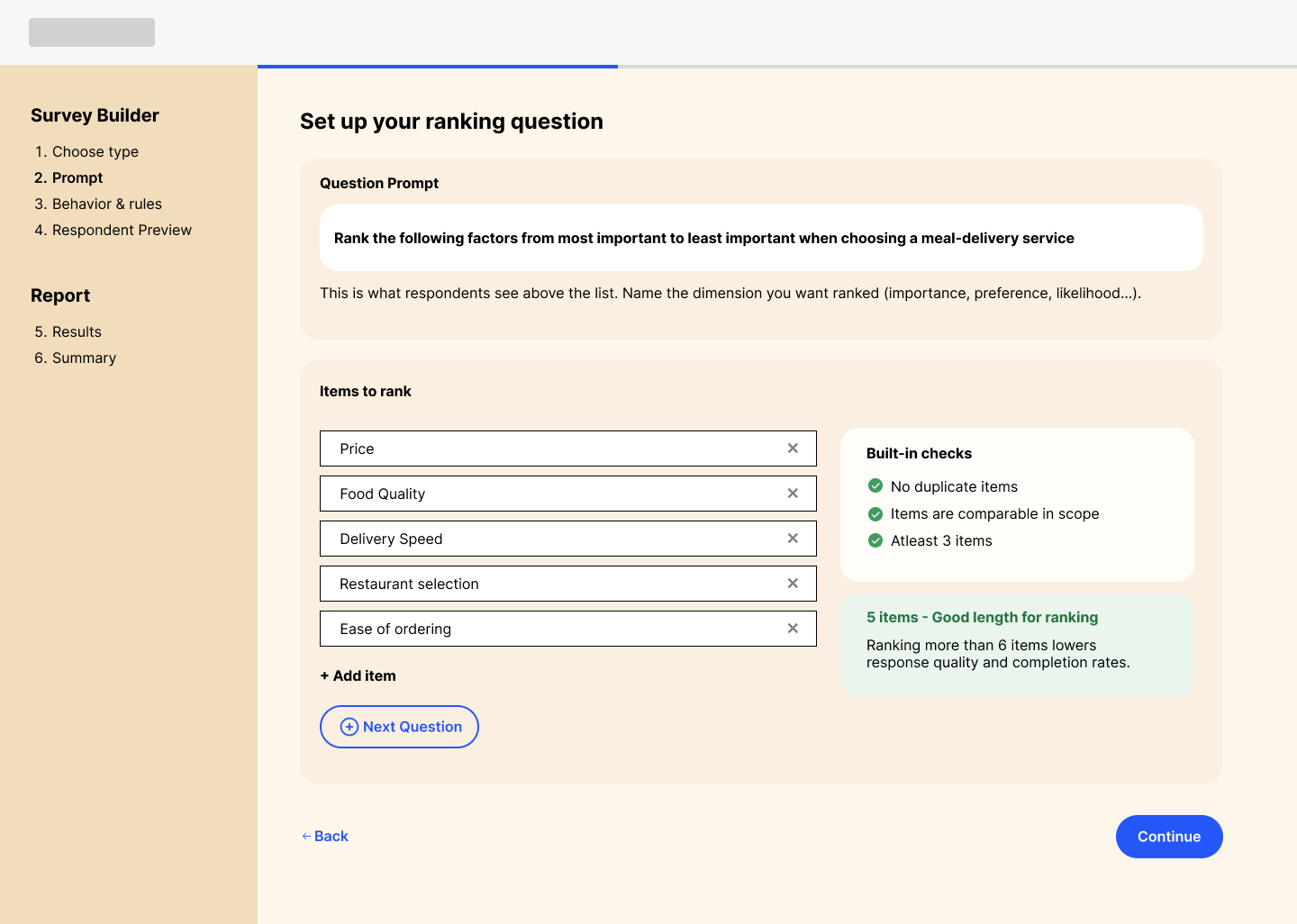
Cognitive Load Thresholds: Industry research confirms respondent accuracy drops sharply when ranking more than 6 items, with 3–5 items being the ideal range for reliable data.
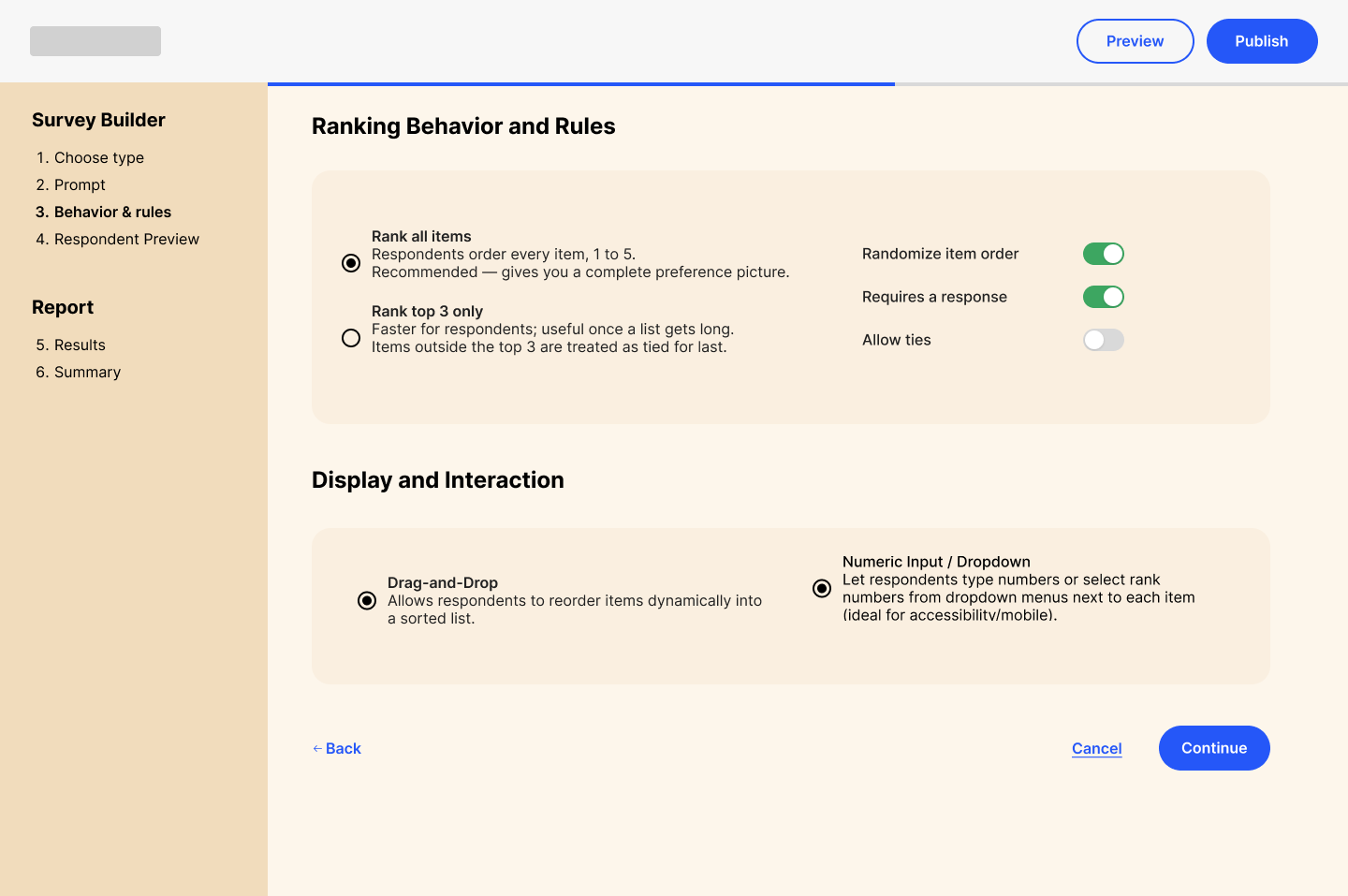
Balanced Control: Non-researchers want full agency over presentation styles (e.g., drag-and-drop vs. numerical input), but benefit from subtle guardrails that prevent survey bias.
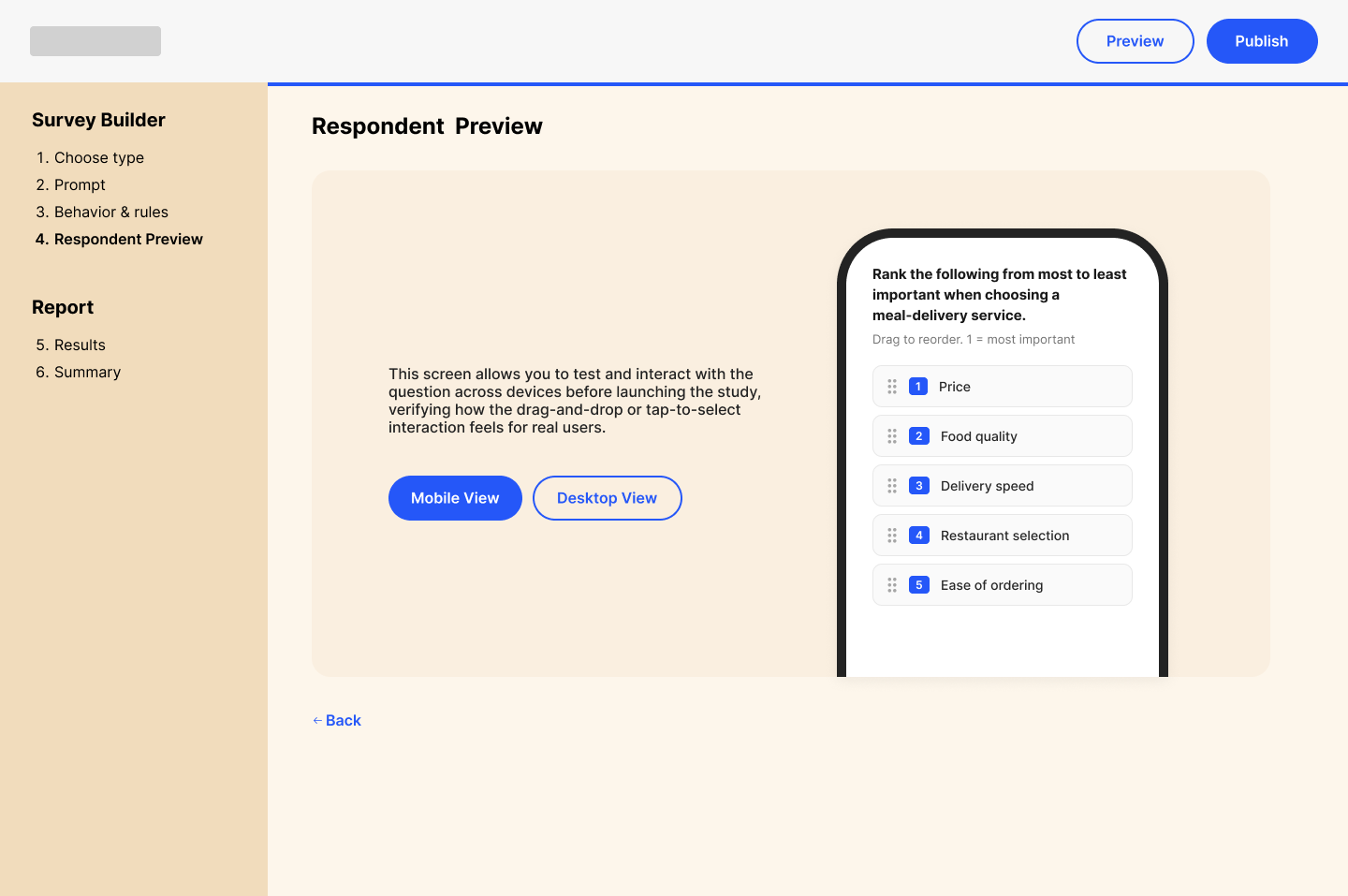
Immediate Validation: Real-time live previews are essential for building creator confidence by making the end-user interaction instantly tangible.
Competitive Analysis
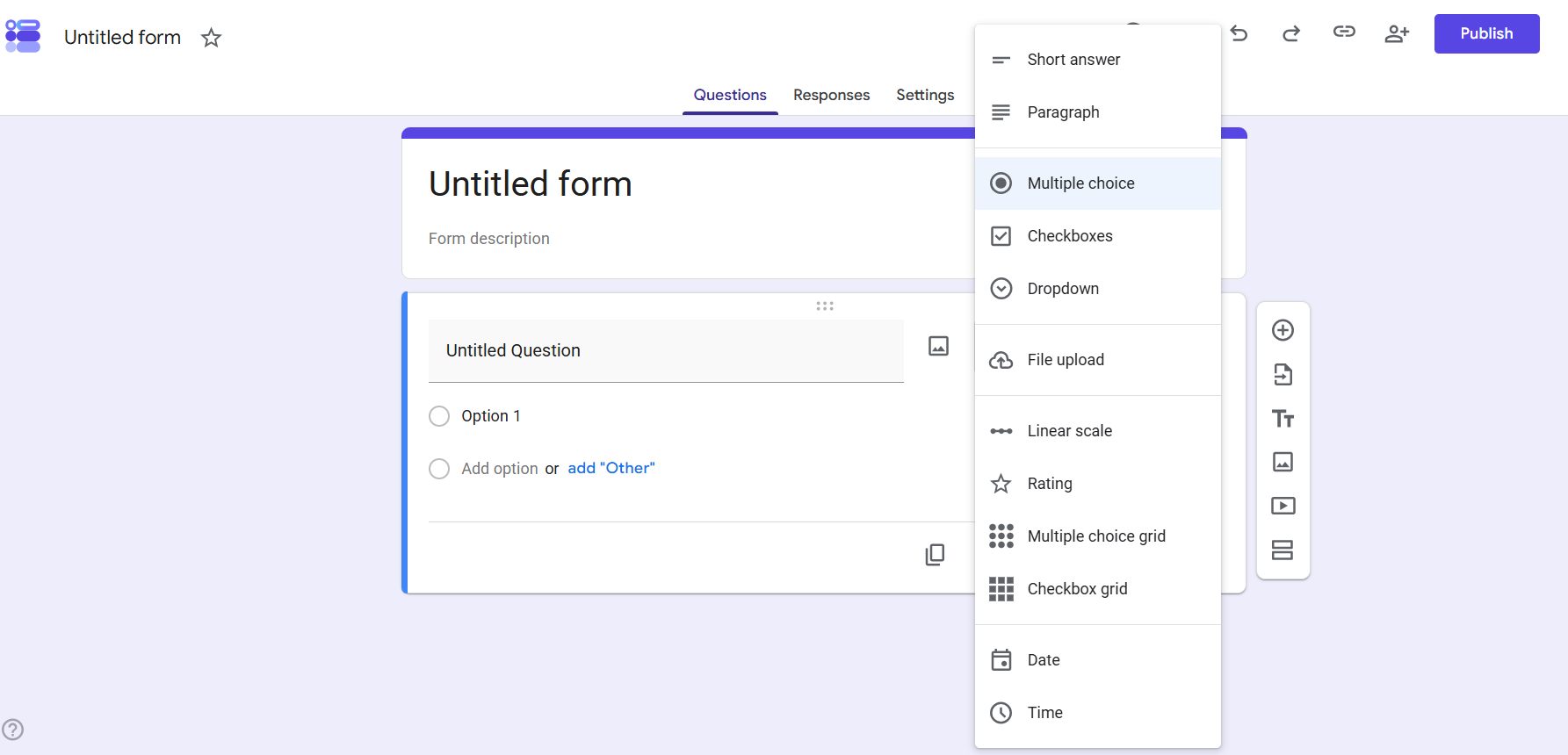
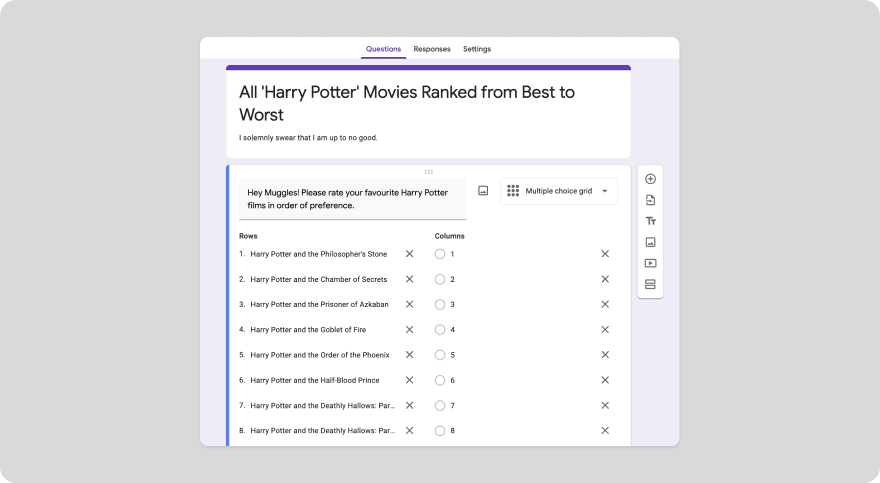
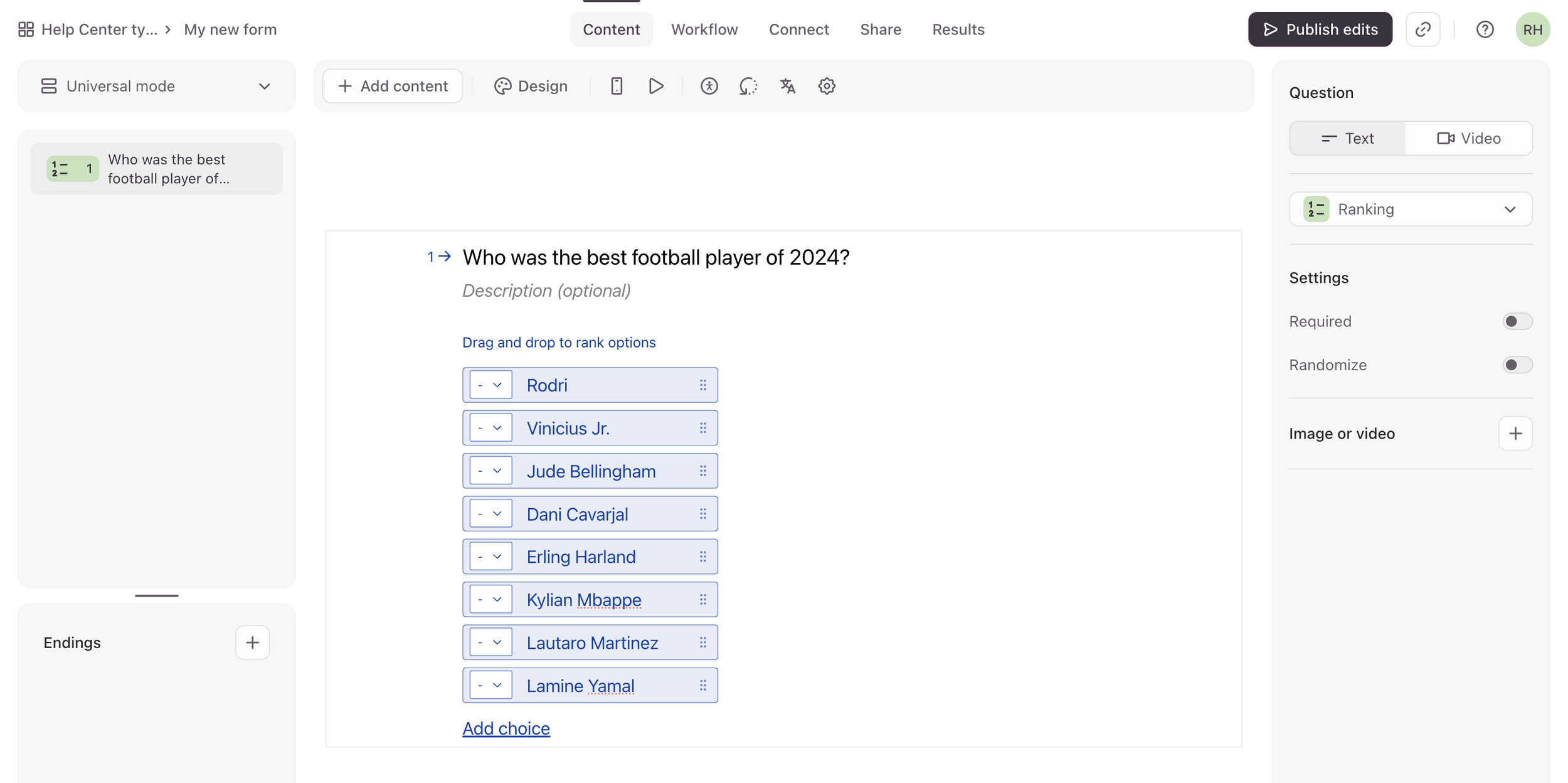
I found that Google Forms supports no ranking question type at all, the work around is a multiple choice grid.
Typeform offered the clearest survey setup flow, broken down step-by-step:
Add Content Screen: Select "Ranking" as the question type.
Choices Screen: Enter the items to be ranked.
Question Settings Panel: Toggle options for "Required" and "Randomize"
Preview Screen: Test the interactive response options ( common in most surveys )
Results → Summary Tab: View the average ranking score for each item.
Research Summary
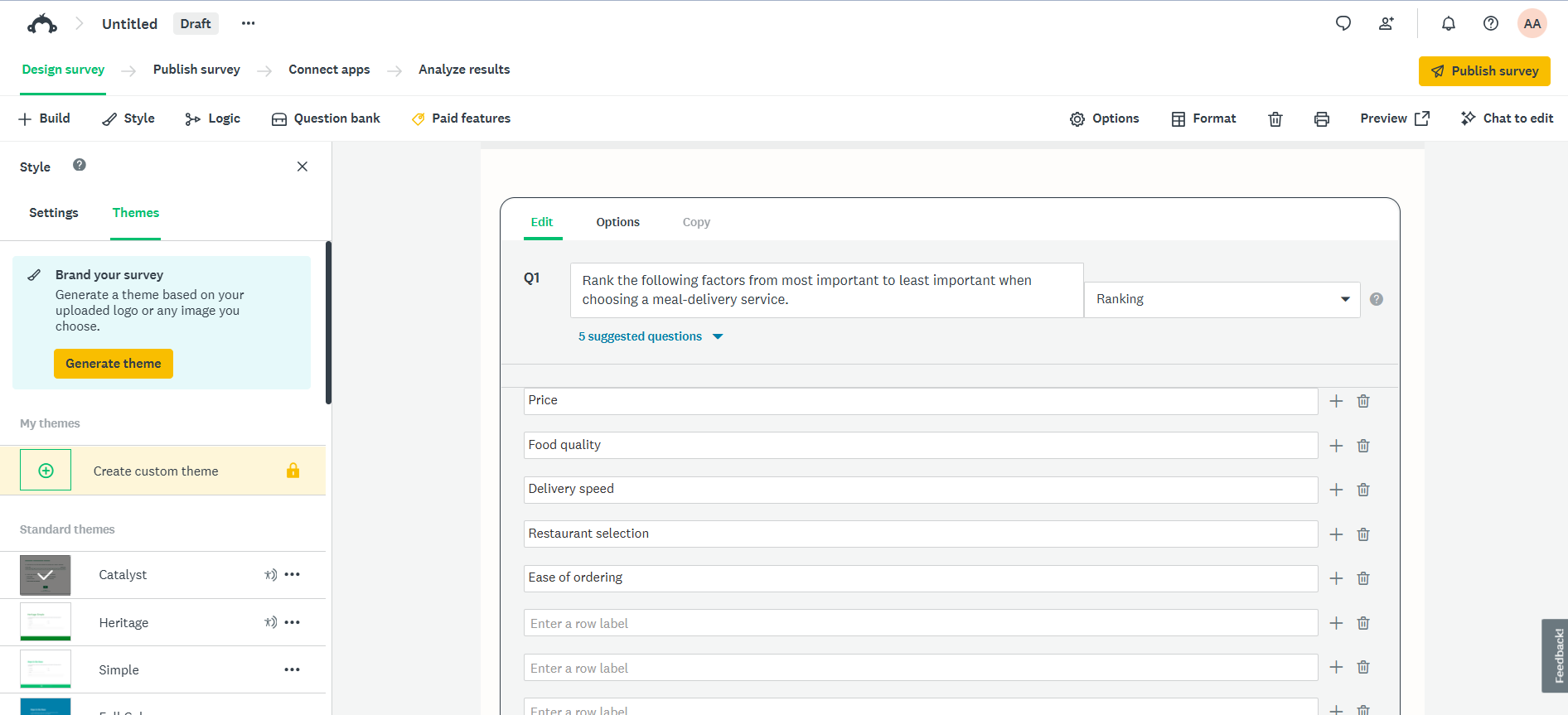
On Survey Monkey:
Ranking question is native drag and drop supporting up to 250 items without setup guidance or guardrails.
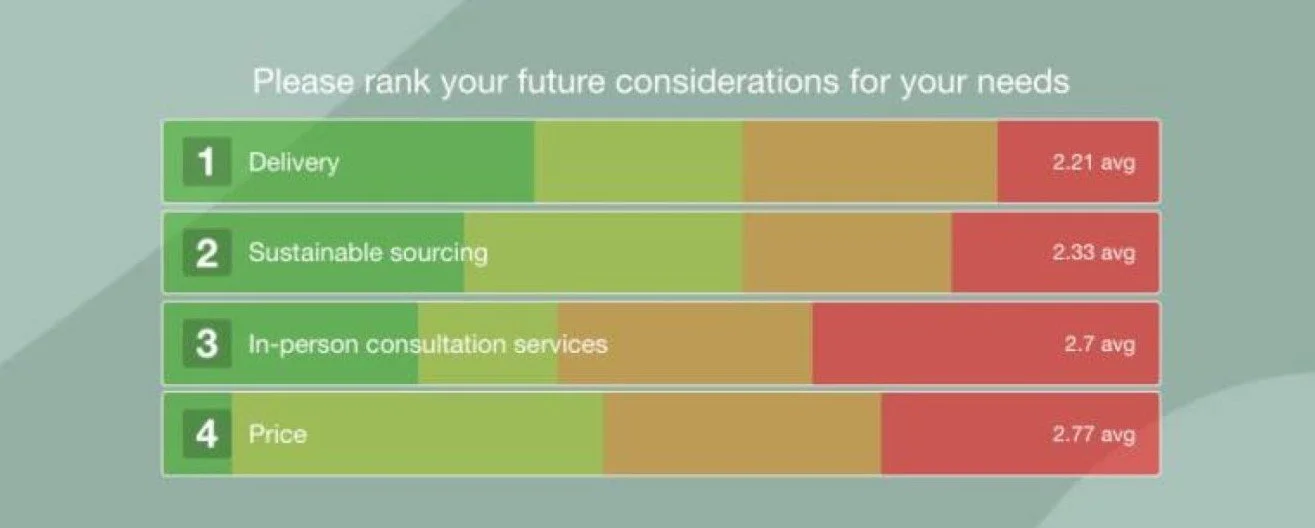
Polished charts leave statistical interpretation entirely to the user.
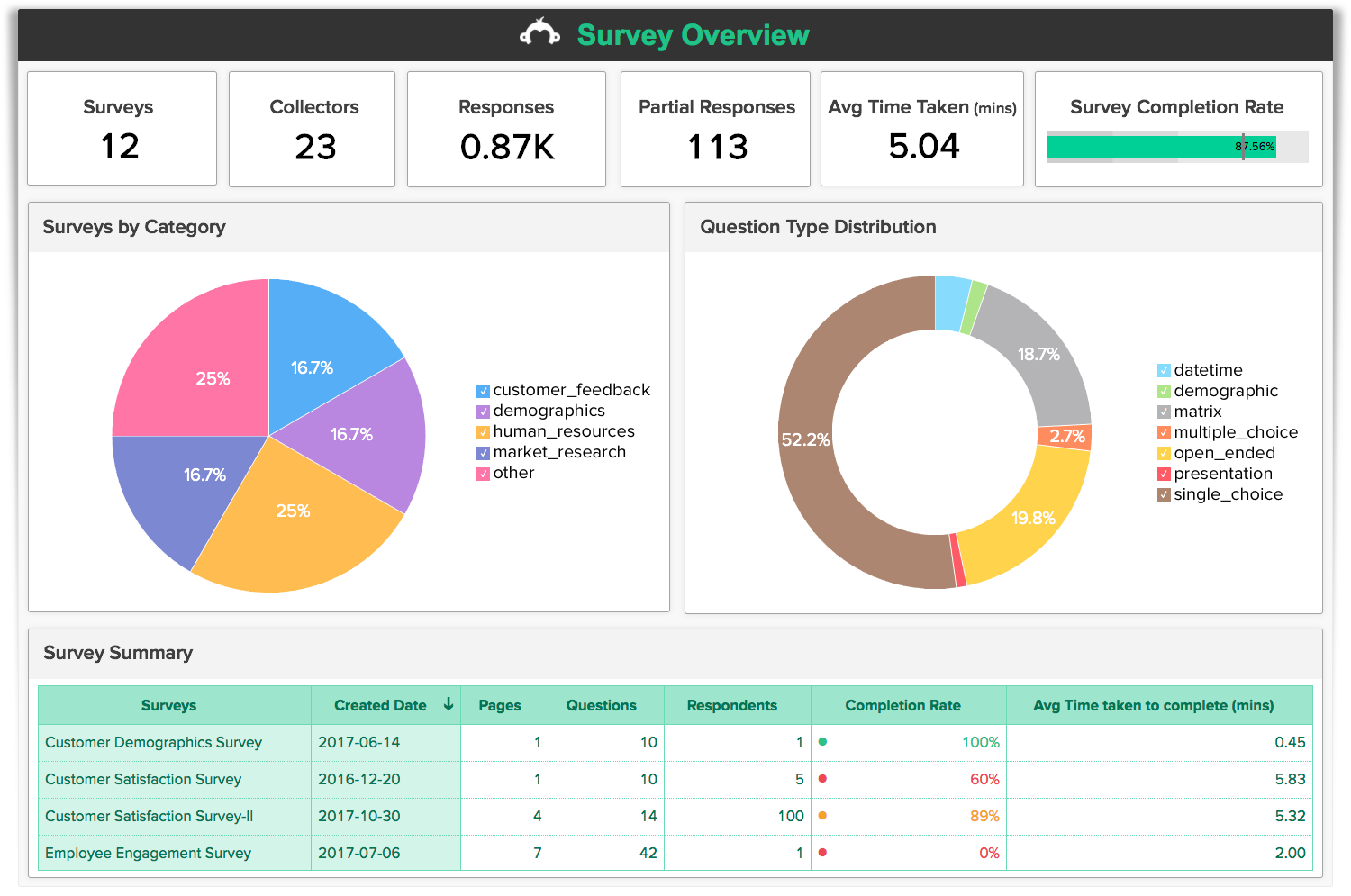
Executive summary banner which shows surfaces total response counts, completion rates, and completion times at the top of the report.
However, what I was inspired by was inspired by was the executive summary banner at the top of the report and how it provided immediate context before users dive into deeper metrics.
From the research findings, I concluded what the solution must haves:
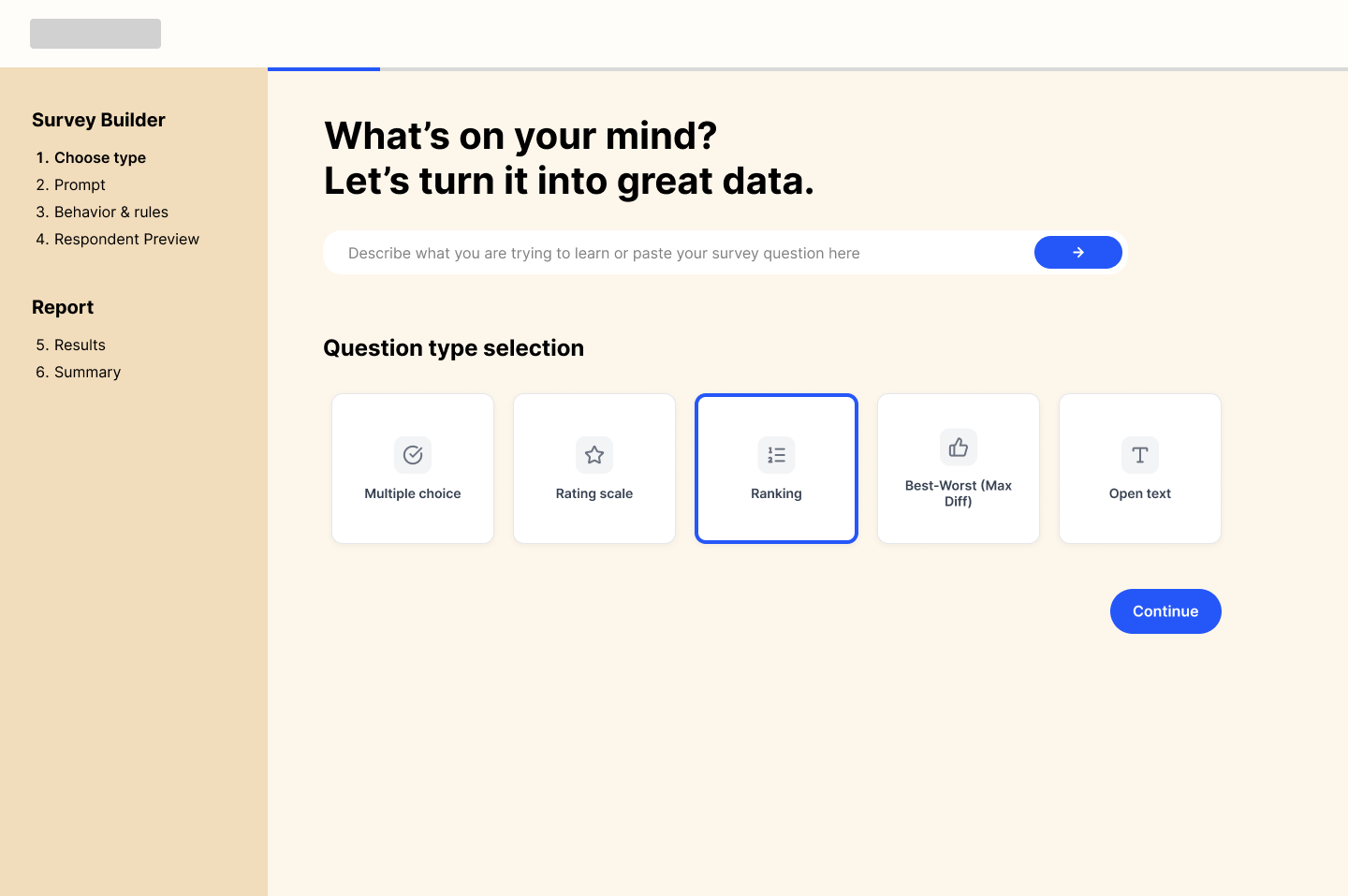
Framework-Driven Setup: Guided step-by-step setup featuring a persistent navigation bar and visual progress tracker to maintain orientation from setup to publishing.
Micro-Feedback & Guardrails: Real-time micro-feedback, item-limit alerts, and intelligent error recovery (e.g., suggesting Multiple Choice for 2-item sets) to eliminate flawed survey setups.
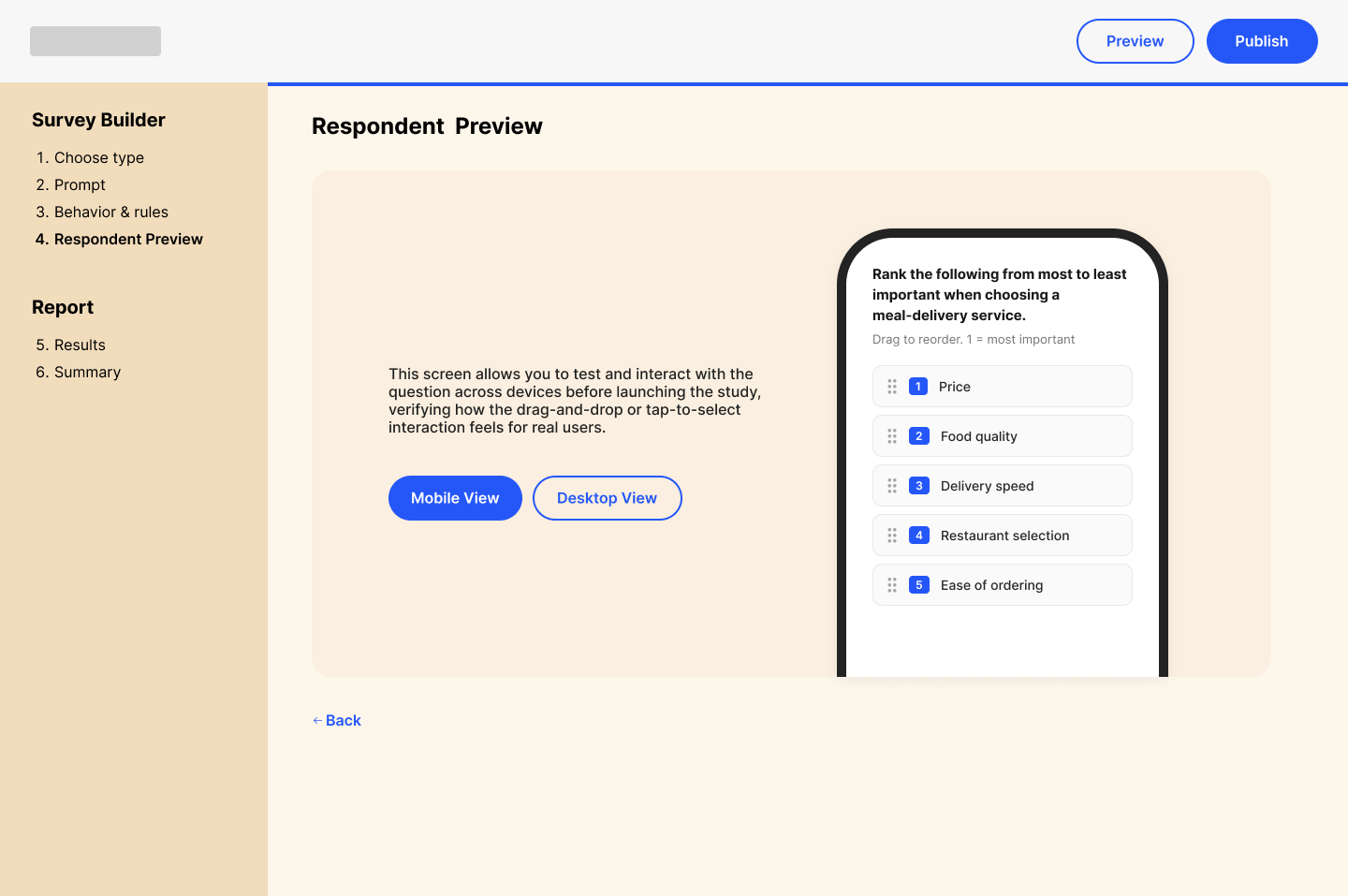
Presentation Control : Support for multiple ranking styles (drag-and-drop vs. numeric) alongside a live respondent preview with mobile/desktop viewport toggles.
Executive Report Banner: Top-of-page summary cards that highlight key sample metrics at a glance before presenting granular chart breakdowns.
Automated Insight Framework: Shifted from raw data grids to plain-language executive summaries that automatically highlight winning ranks and actionable business takeaways.
02. User Flow
How might we questions
How Might We Statement:
How might we design an intuitive survey builder that a non-researcher can set up correctly without too much research?
How might we automatically translate survey results into high-impact business decisions?
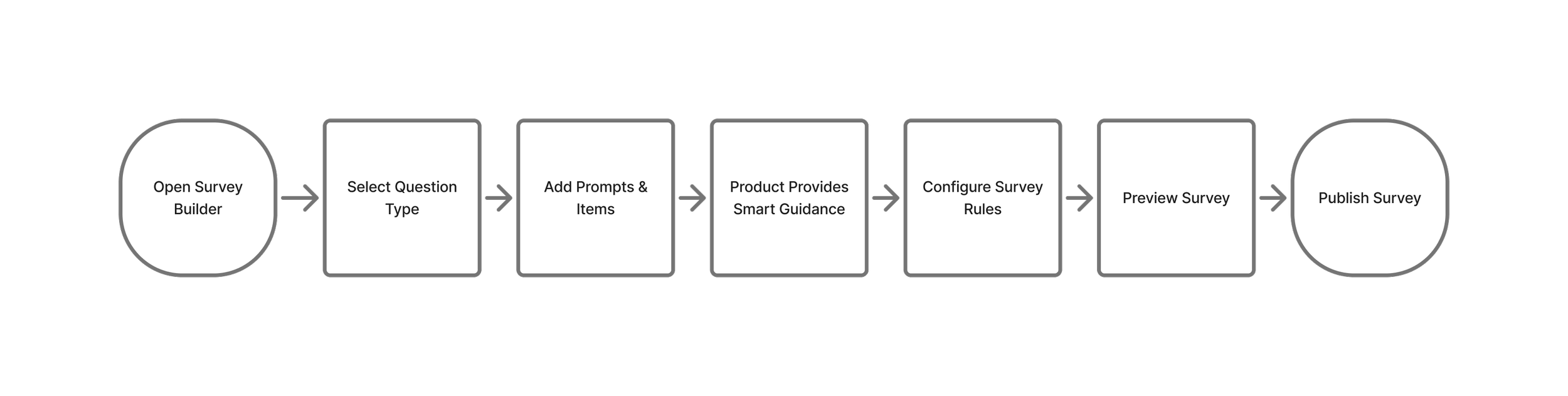
User Flow
Survey-Builder Flow:
Report Flow:
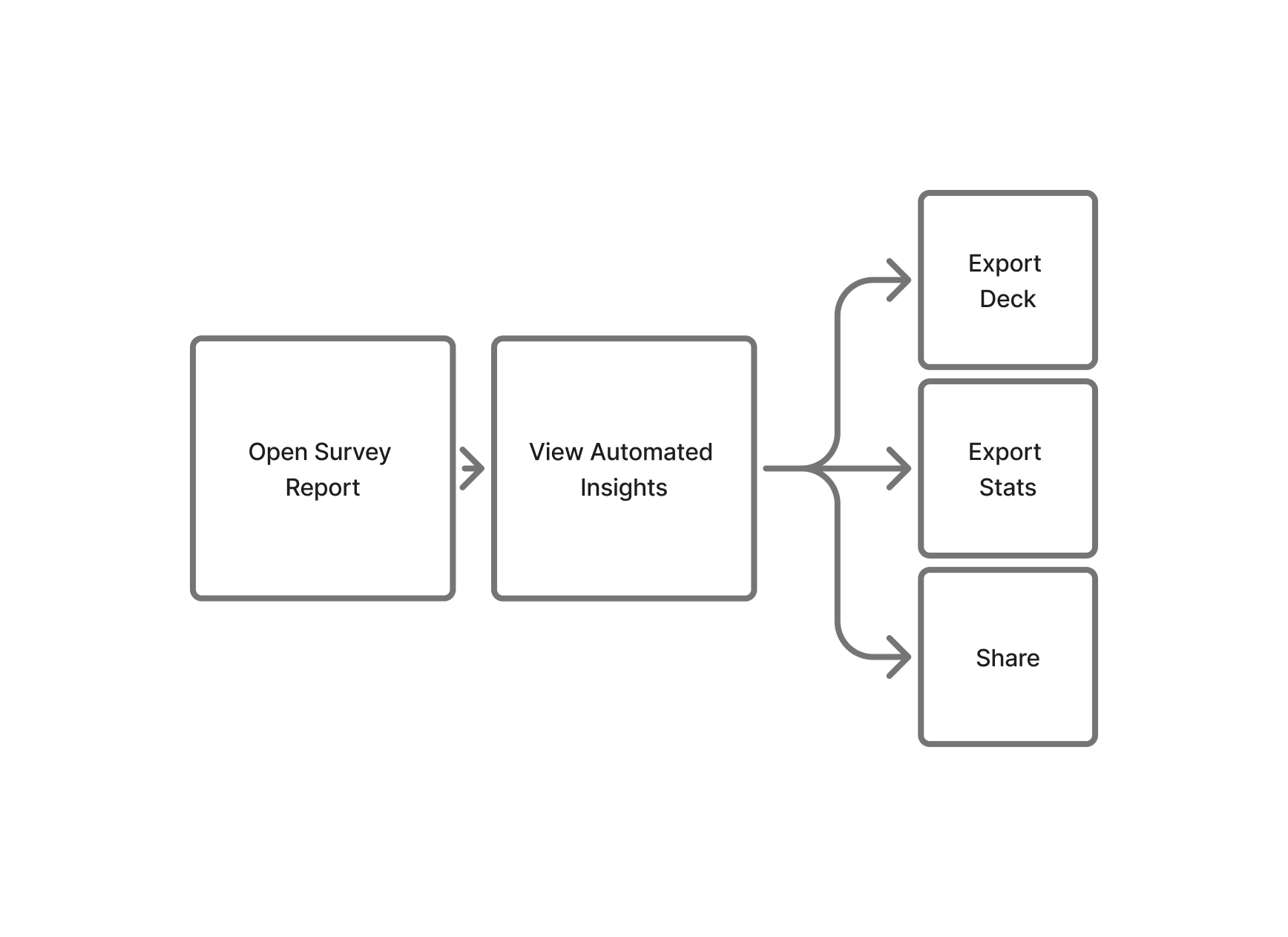
With the research findings and the flow mapping, I started designing the key screens.
03. High fidelity prototype
-
![]()
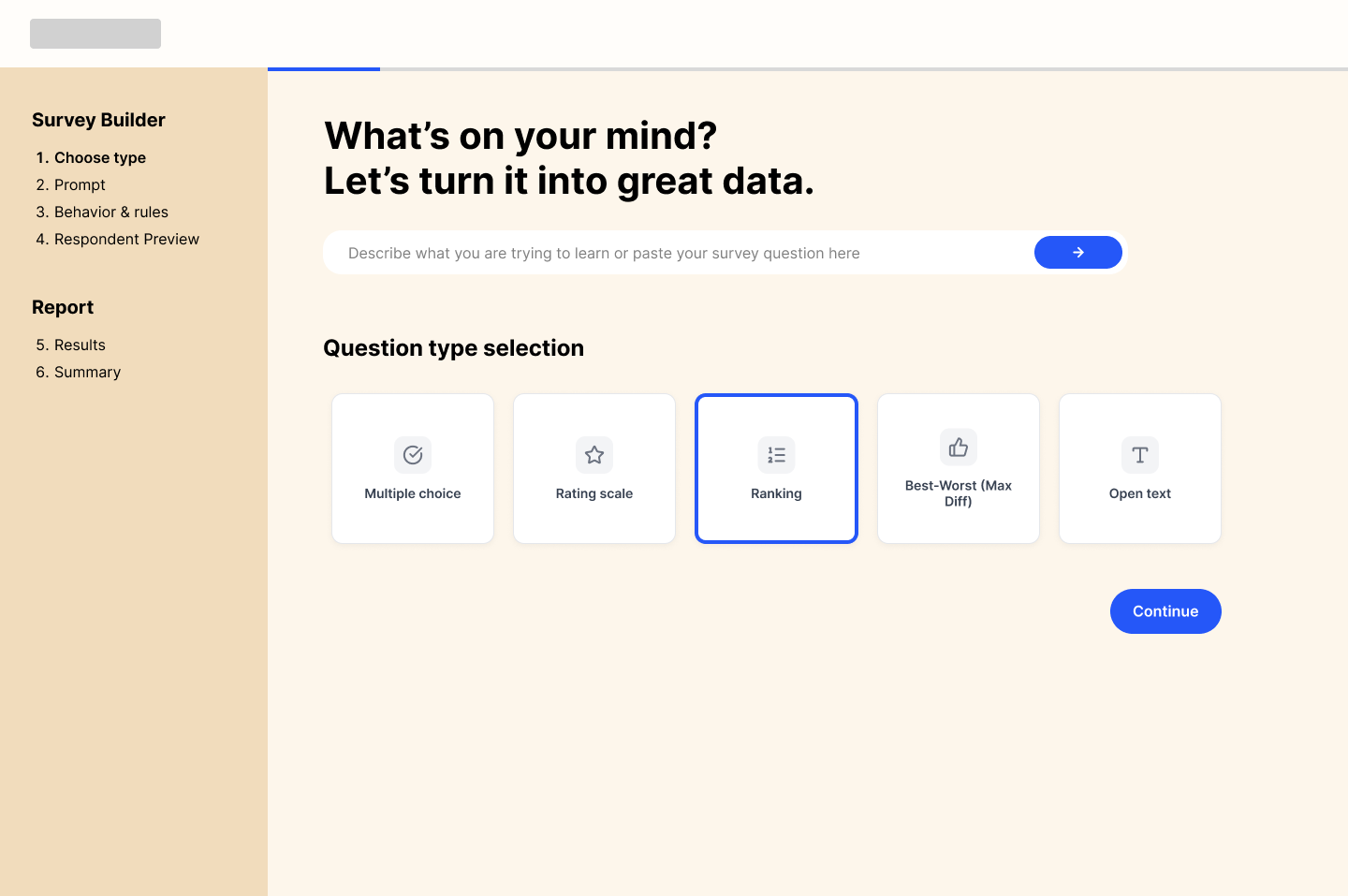
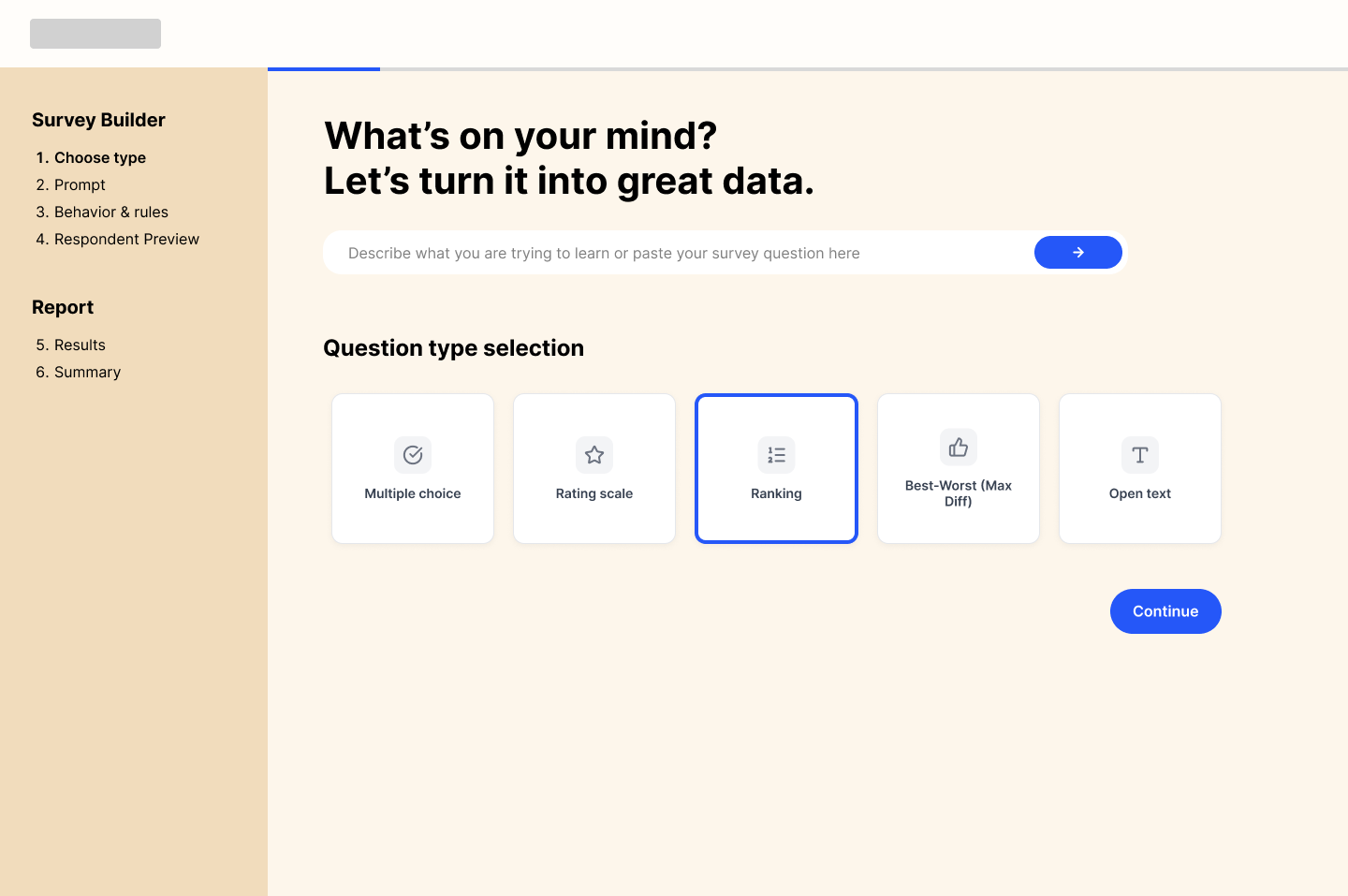
Choose Question Type
-
![]()
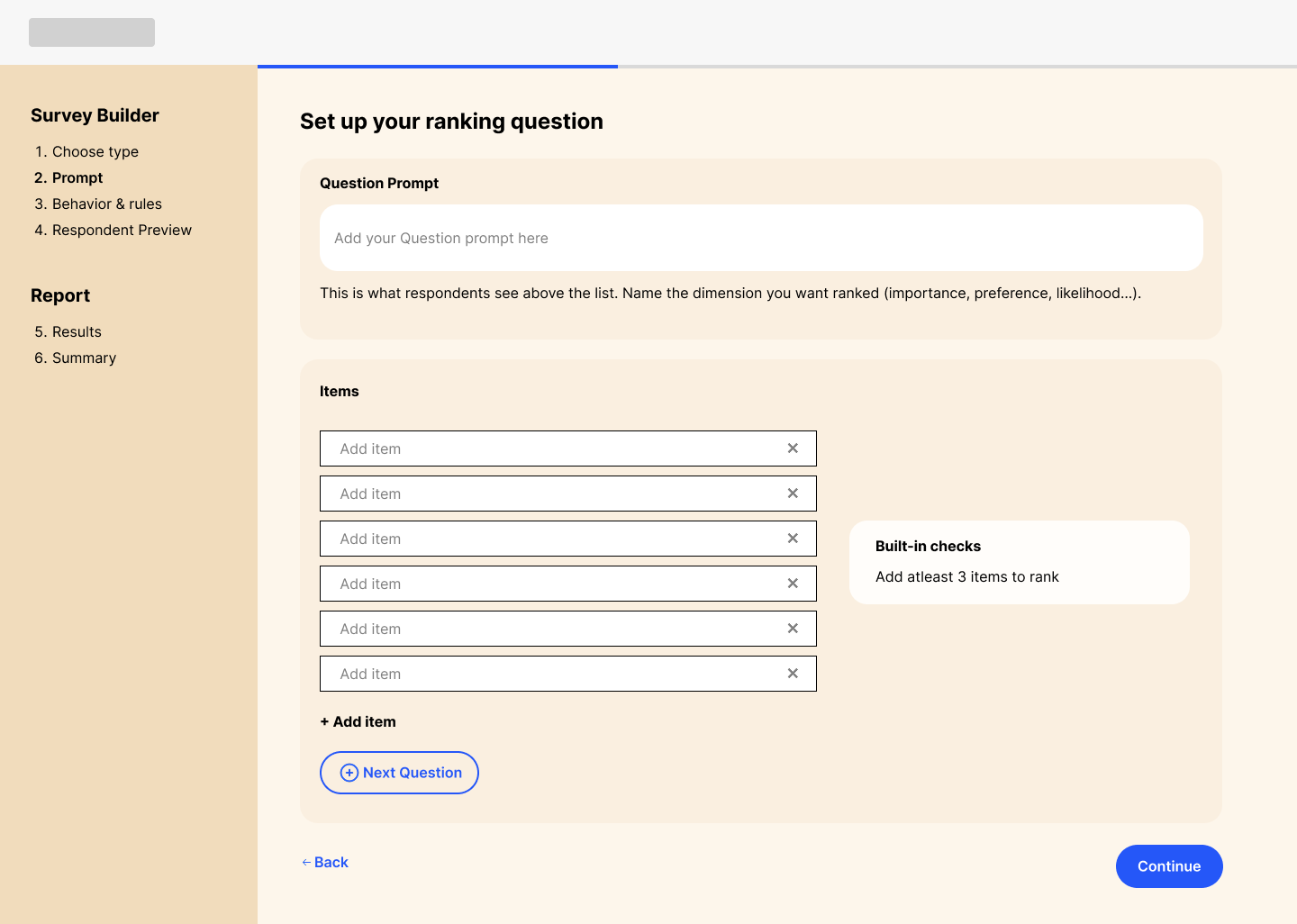
Prompt - Empty State
-
![]()
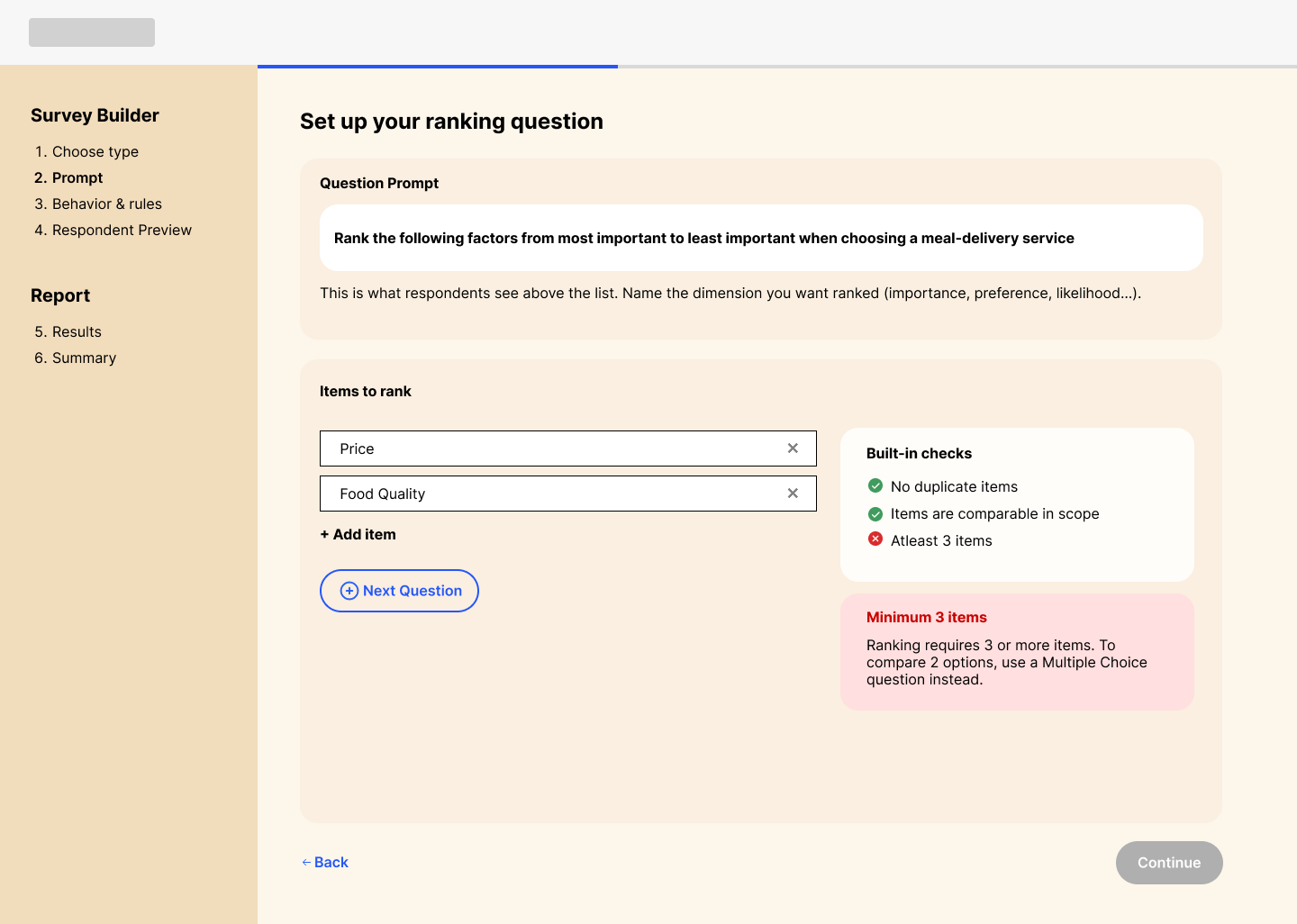
Prompt - Error
-
![]()
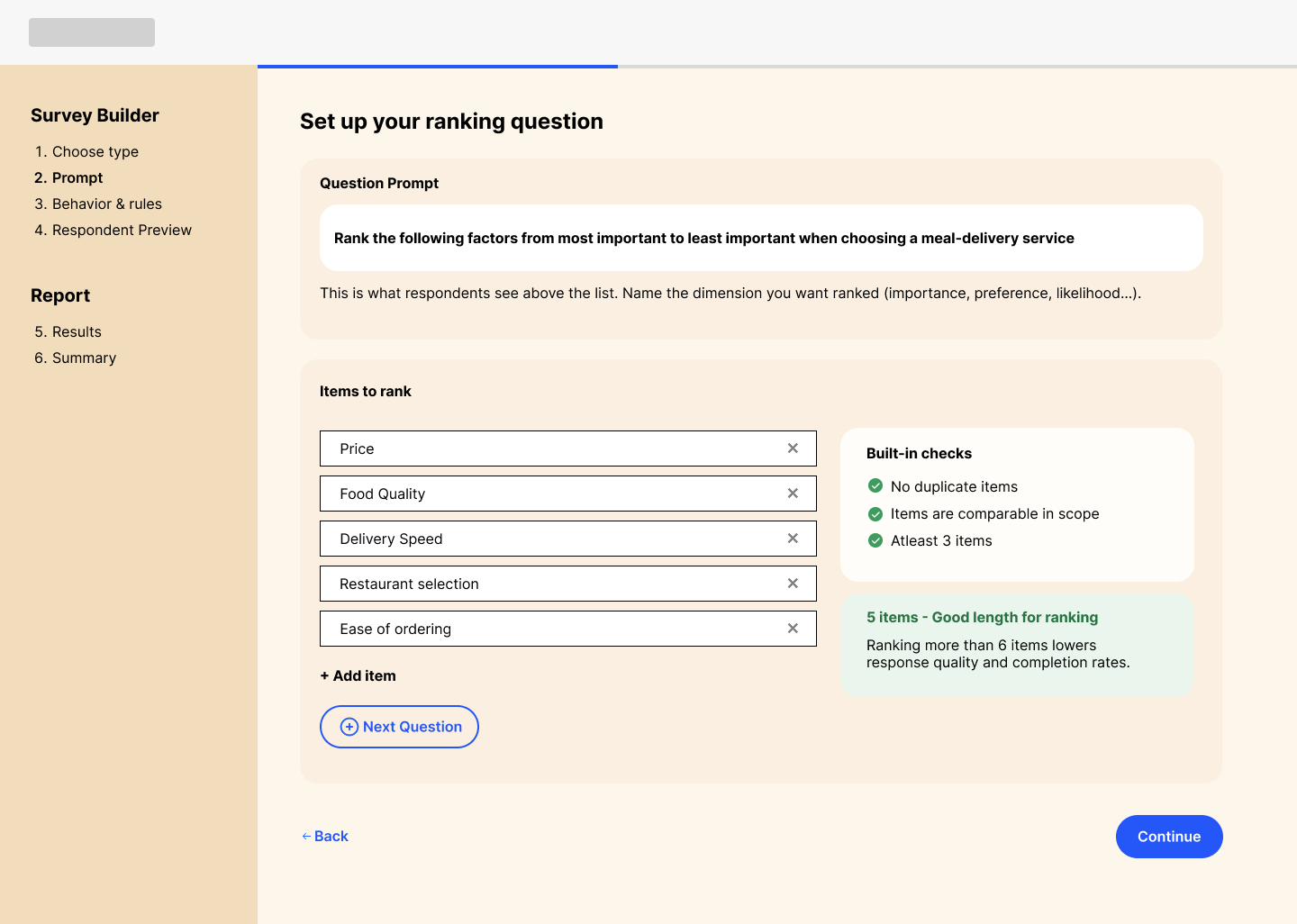
Prompt - Filled
-
![]()
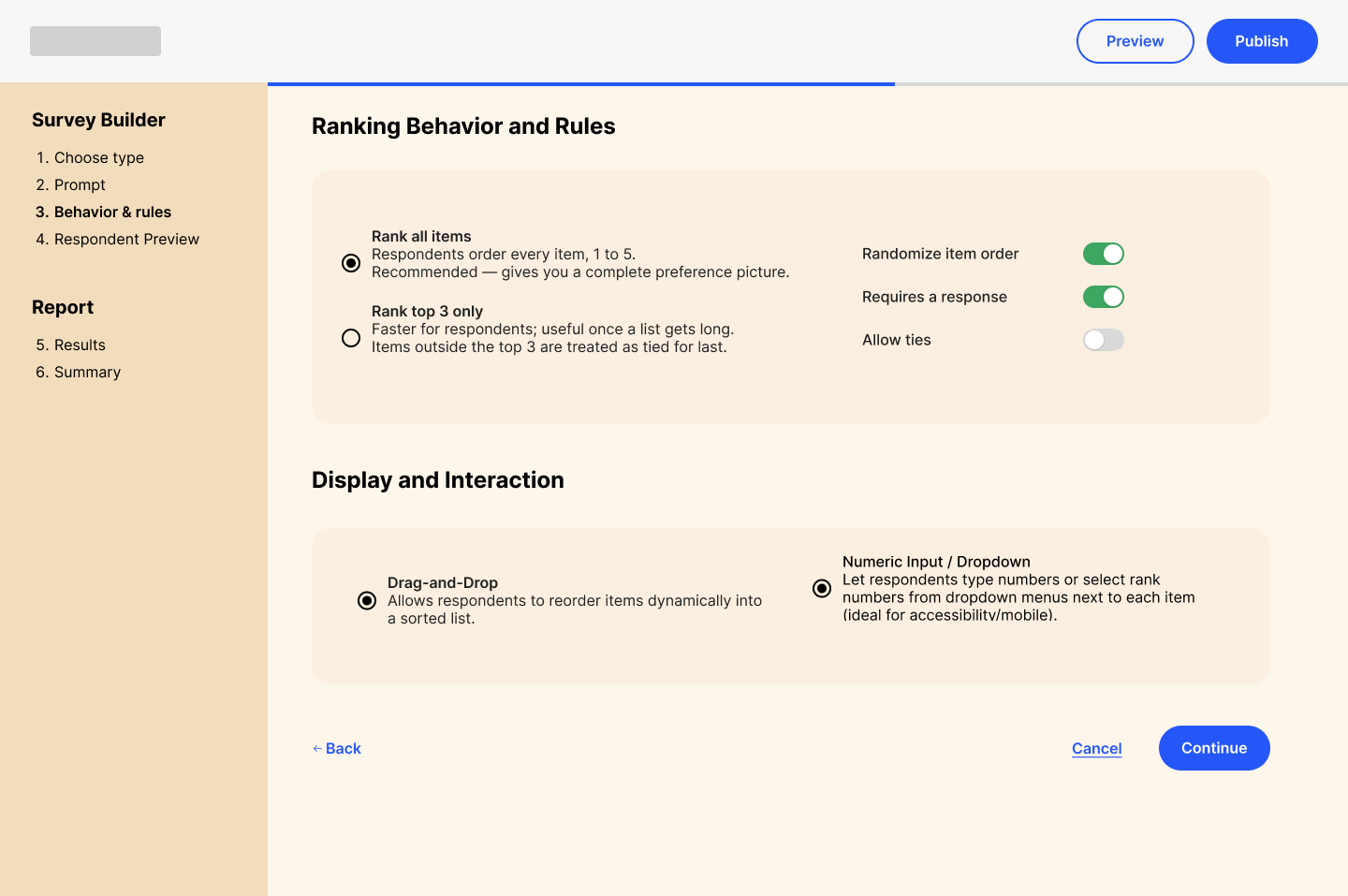
Survey Rules & Behaviour
-
![]()
Respondent Preview
-
![]()
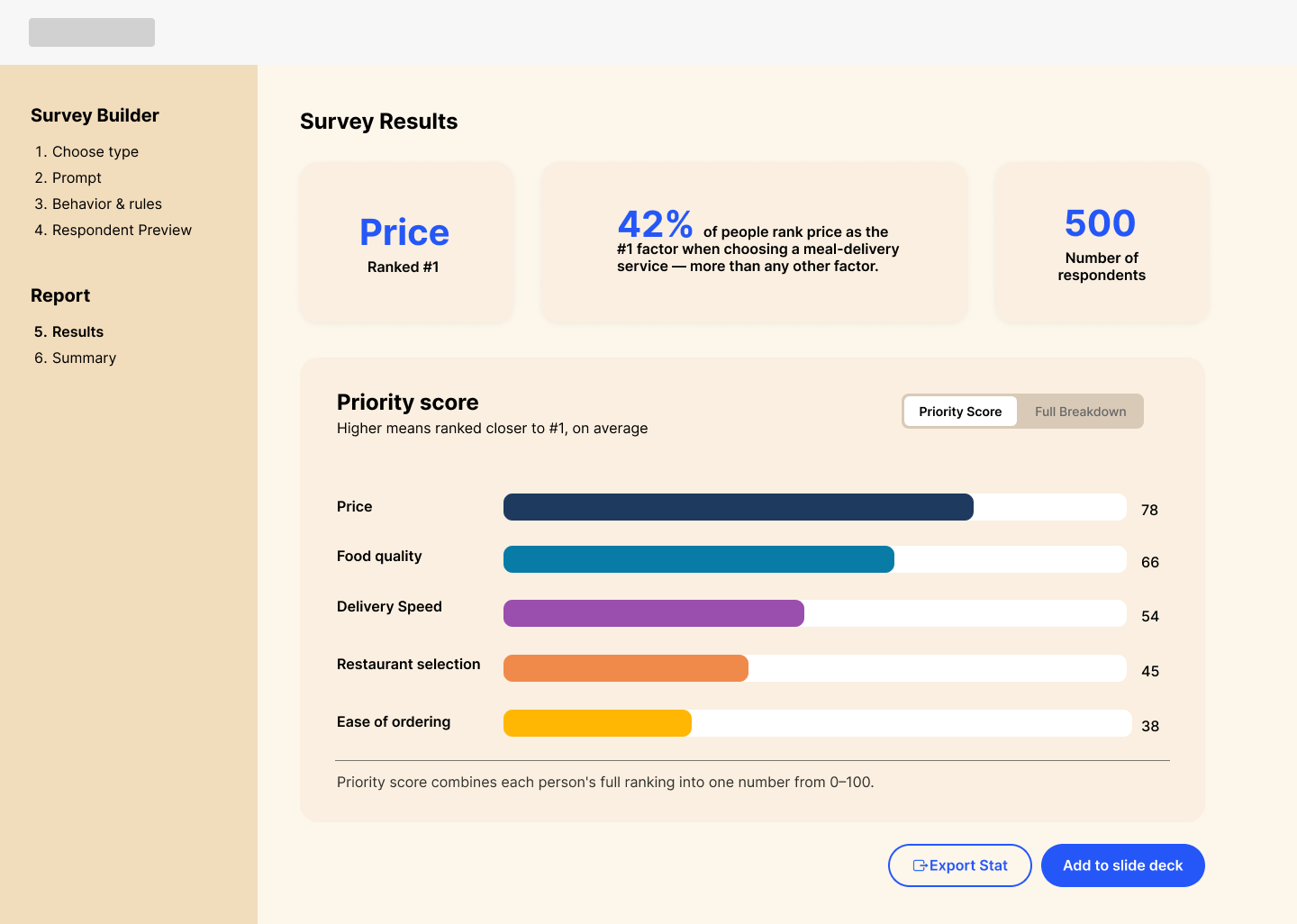
Survey Results - Priority View
-
![]()
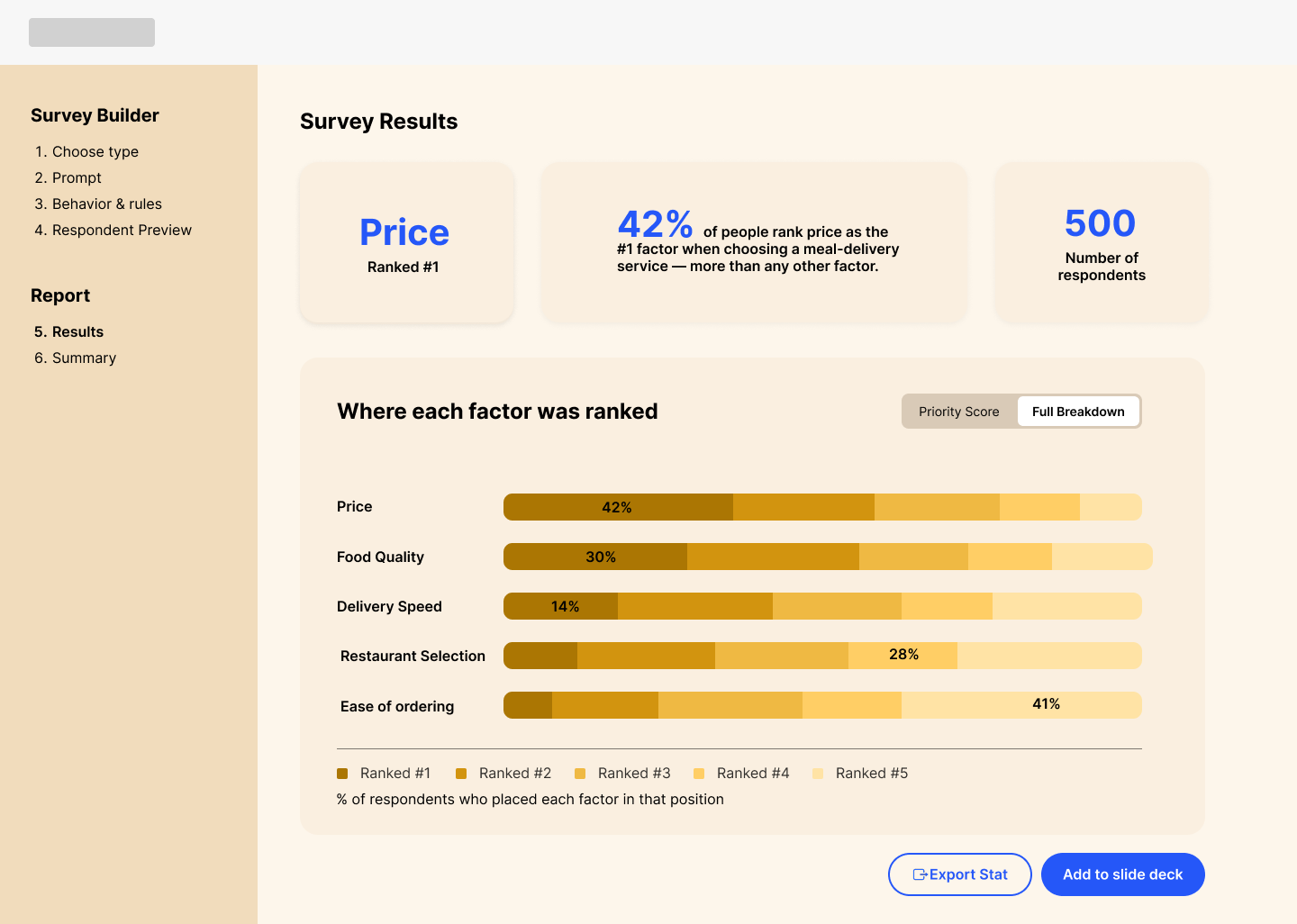
Survey Results - Full Breakdown
-
![]()
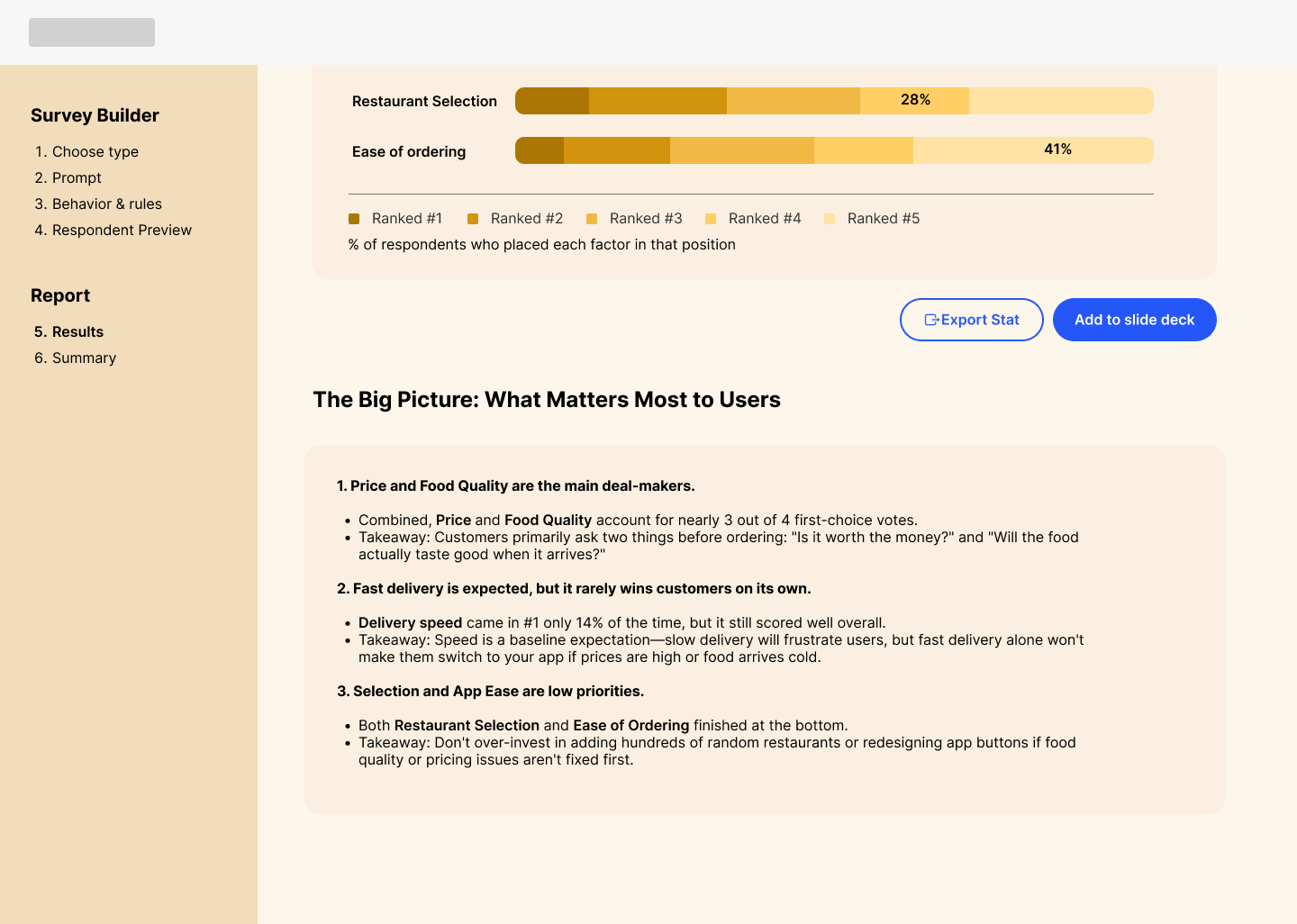
Actionables
-
![]()
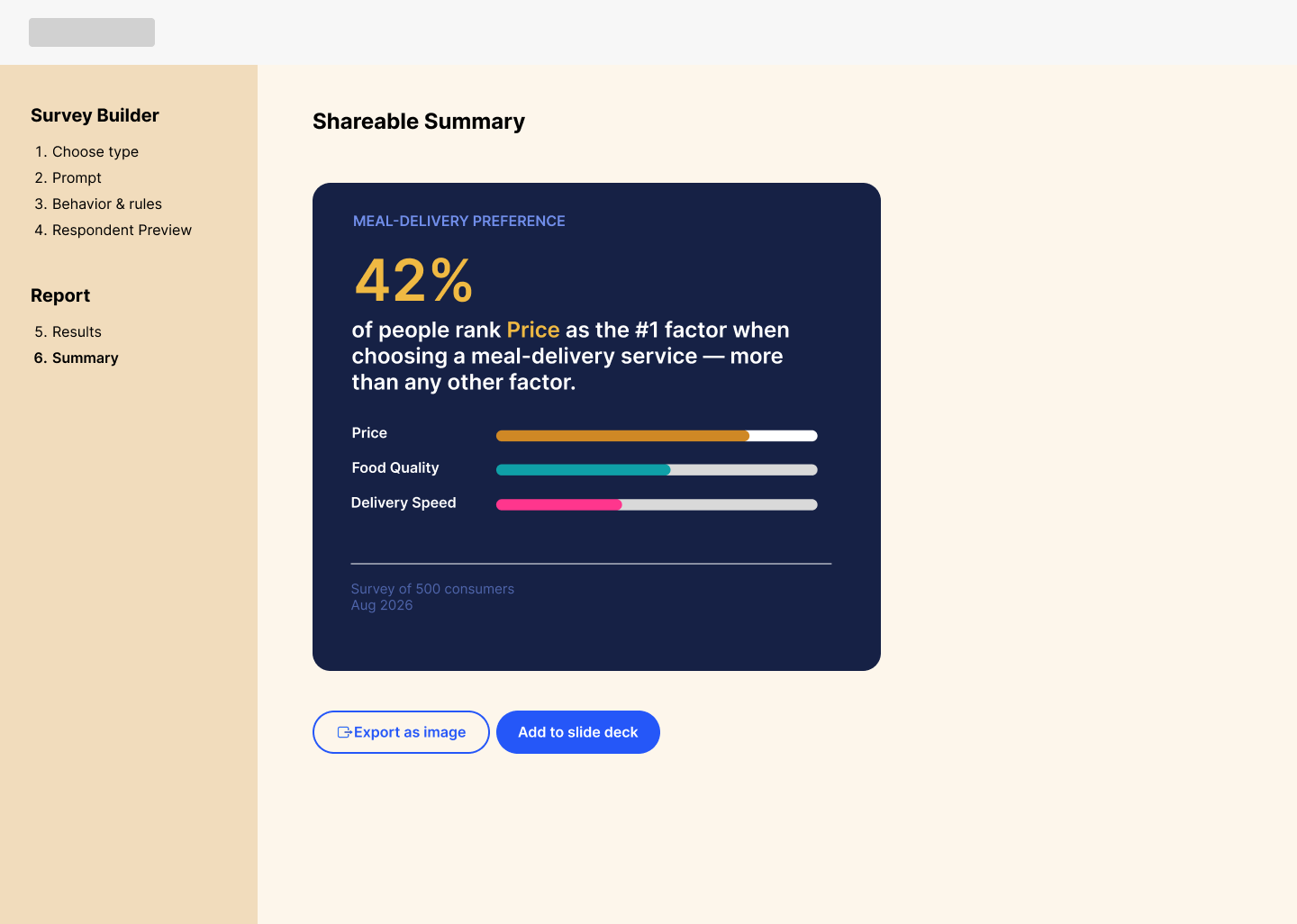
Shareable Summary
04. Design Rationale
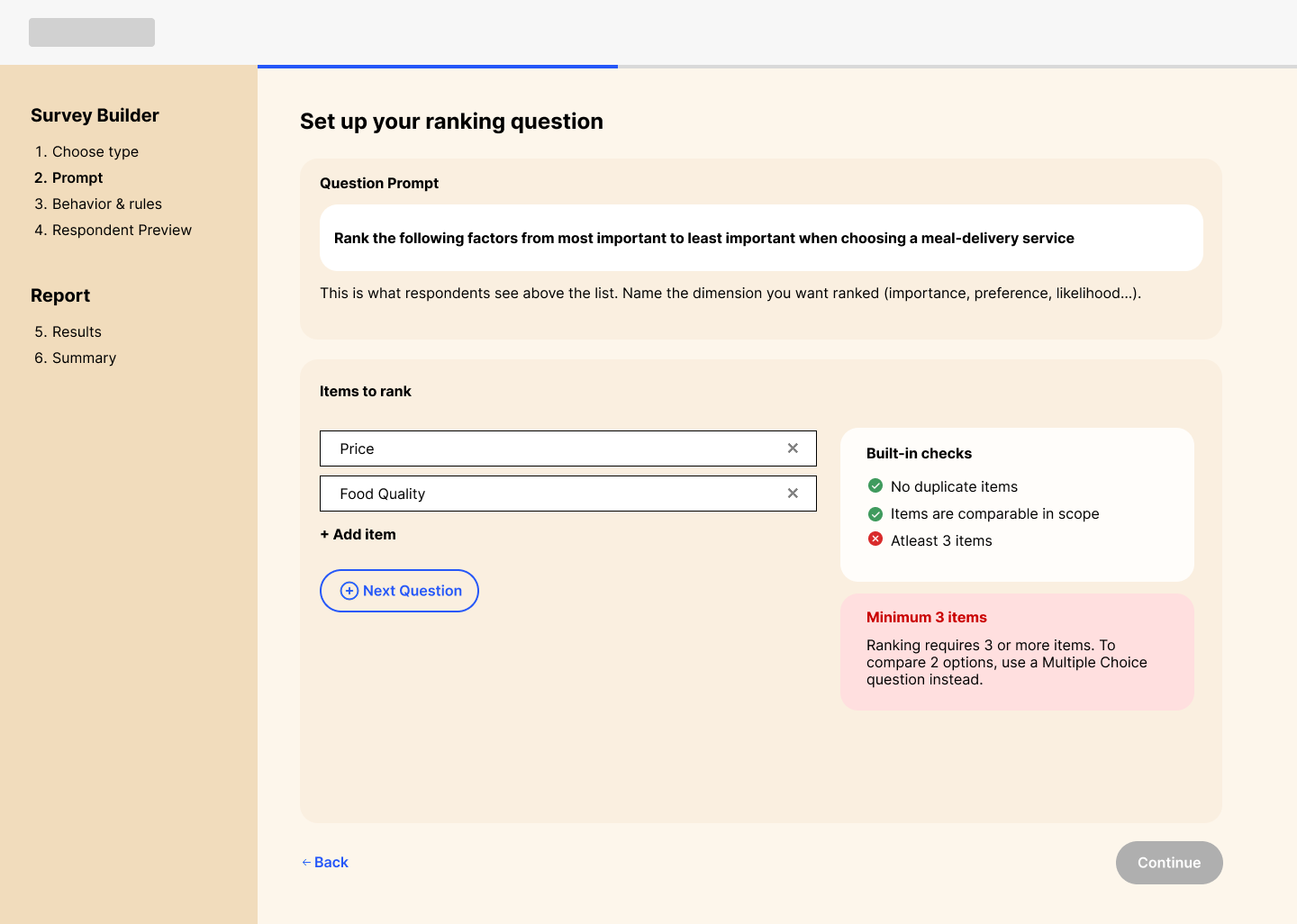
To prevent setup errors and enforce research best practices, I designed real-time micro feedback into the form fields. The system dynamically validates inputs, e.g flagging issues like duplicate entries, while surfacing encouraging contextual guidance, such as confirming that 5 items is the optimal range for respondent accuracy and completion rates.
I added a set of behavior and rules to give user more control over their survey, like ranking styles, visual decision on how they want to the user to interact with the survey.
I approached the survey builder as a desktop-first experience, assuming user already knew their required question type. However, to support undecided users, I integrated an AI-assisted conversational input that suggests or generates the right format based on their goal. I also added a step-by-step navigation panel and a progress bar so users clearly understand their path to publishing the survey.
I also designed an edge case, such as when a user attempts to rank fewer than 3 items. Instead of simply blocking the user with a generic warning, the system provides an inline solution: it explains 3 items are required for a valid ranking question and intelligently suggests converting to a Multiple Choice format if they only intend to compare two options.
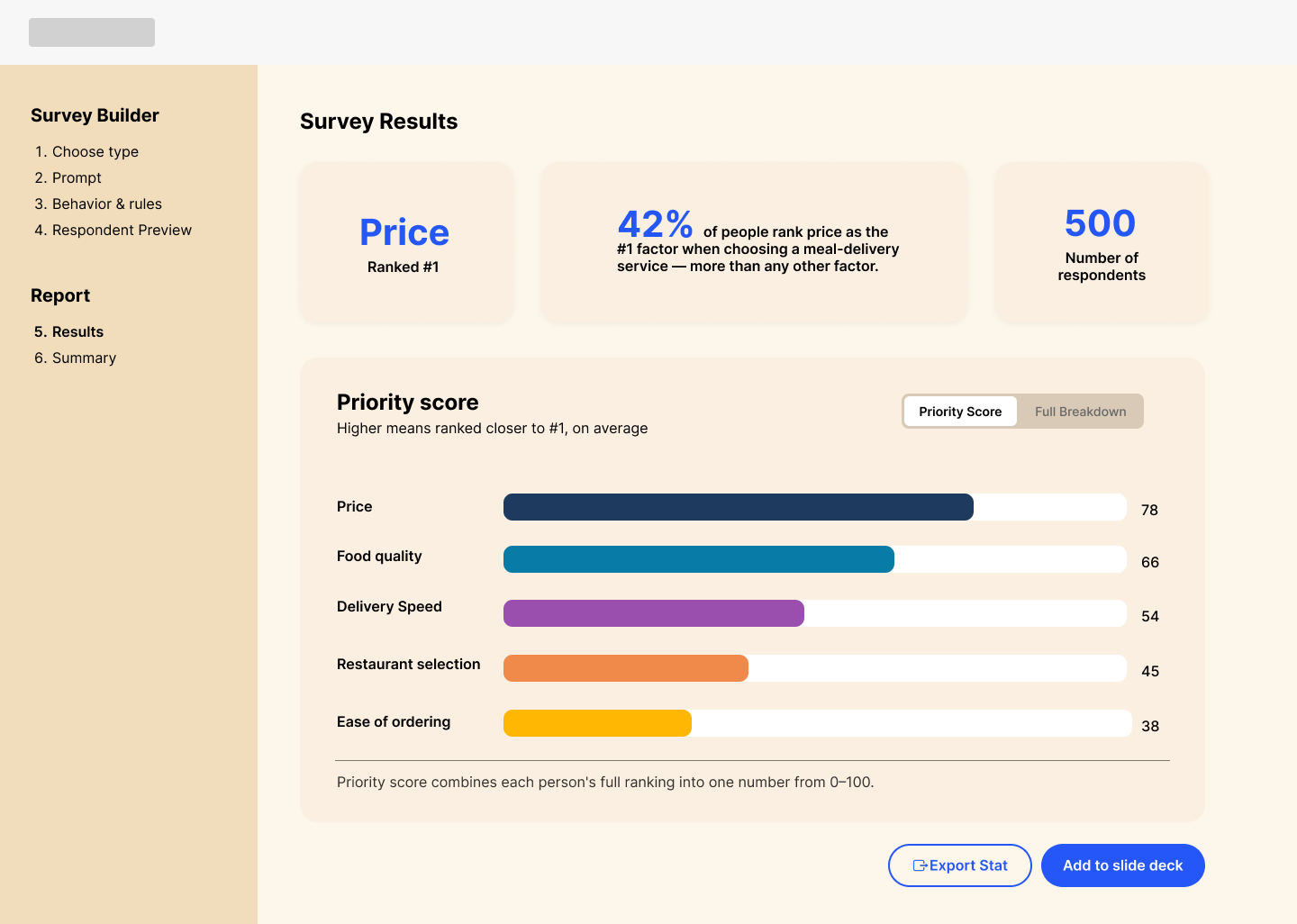
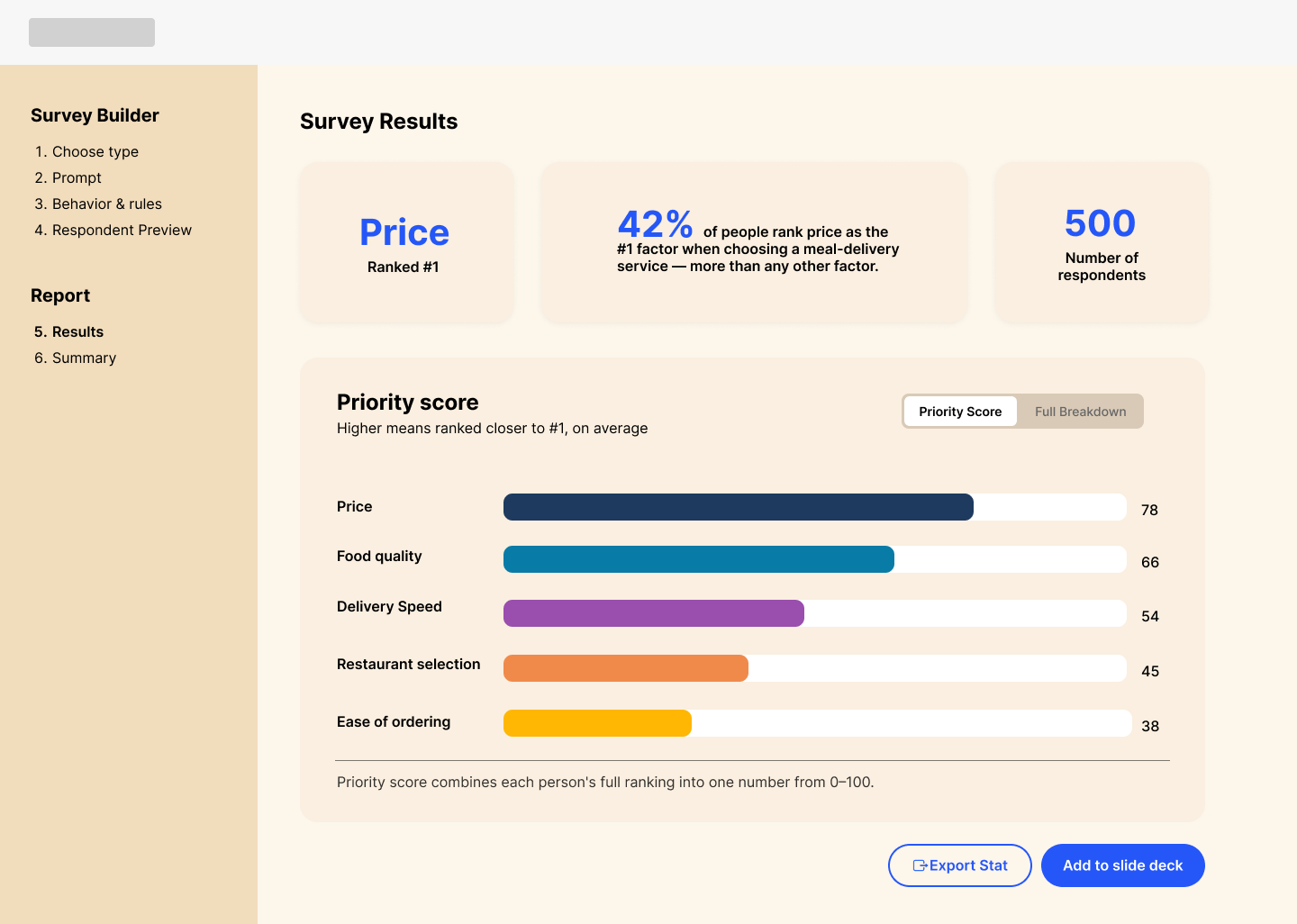
Rather than forcing non-researchers to understand raw percentages, I designed an insight-first reporting framework. The layout prioritizes immediate understanding by placing the primary conclusion at the very top(identifying the winning rank), followed by breakdown metrics like priority score, respondent count, allowing stakeholders to make confident decisions at a glance.
To build user confidence, I integrated a respondent preview directly into the builder. This live view allows users to test the exact interaction model and toggle seamlessly between desktop and mobile viewports, ensuring the end-user experience remains clean and accessible across all devices before publishing.
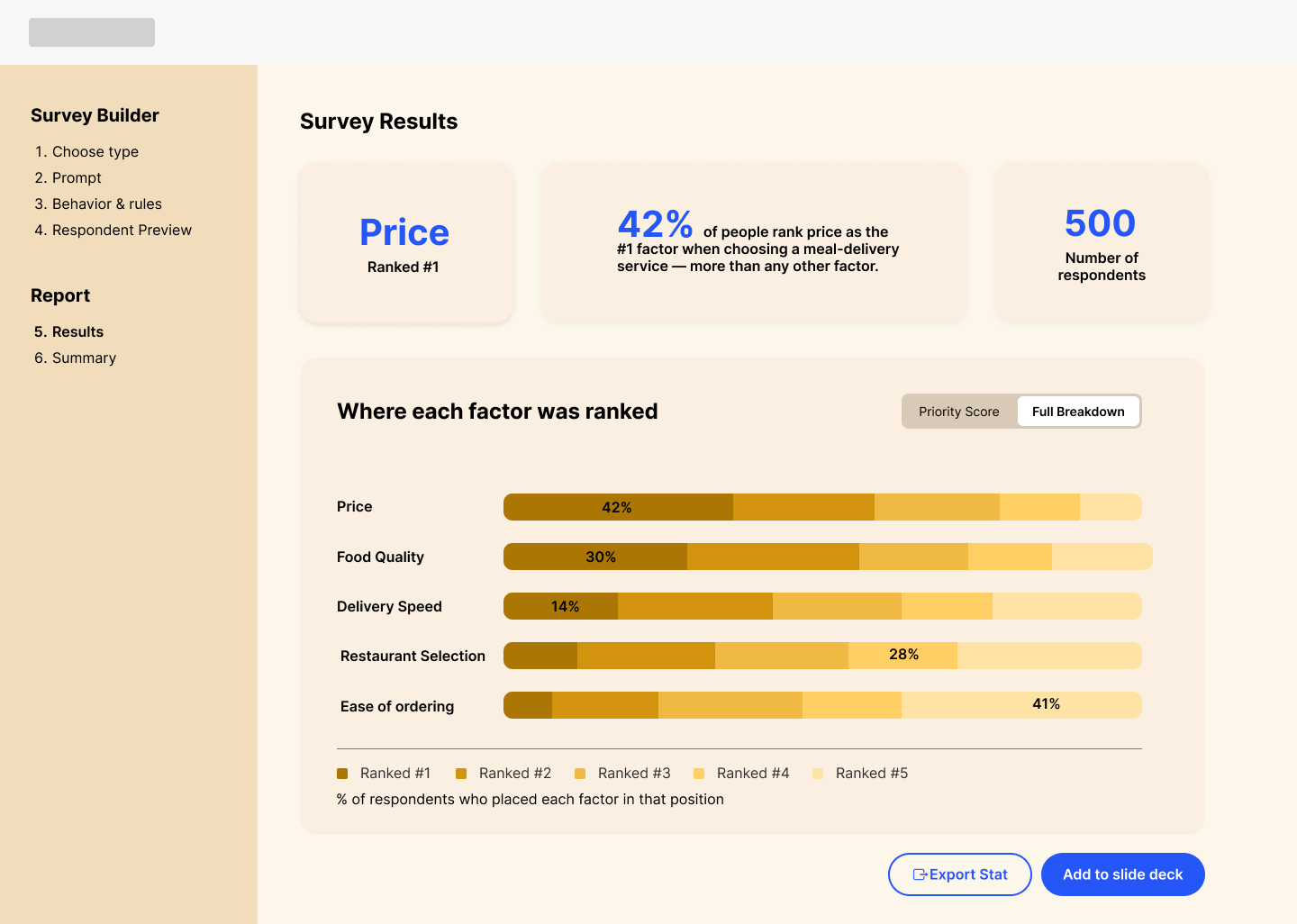
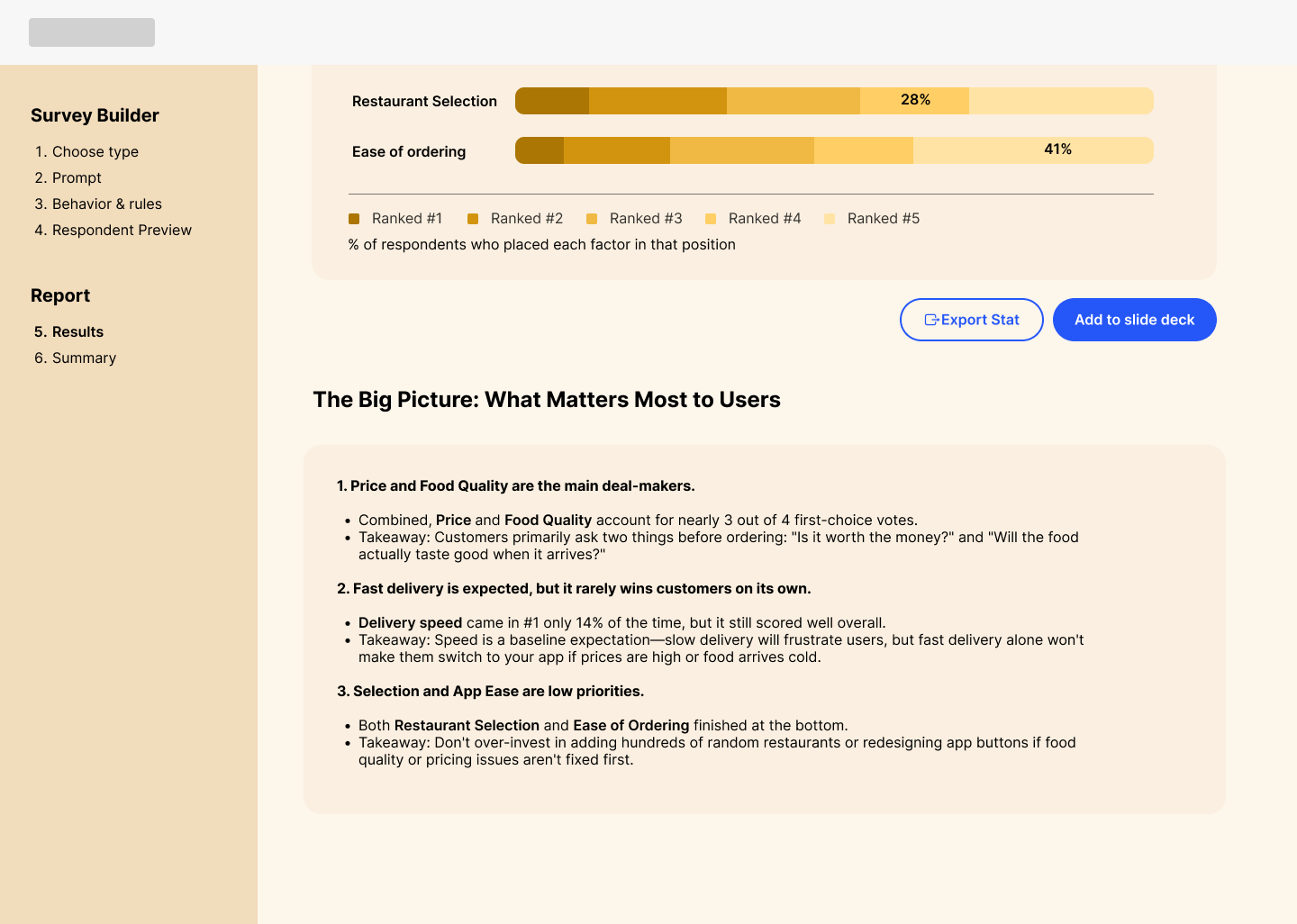
To address the key challenge of translating raw survey data into actionable business decisions, I integrated an automated Insights panel directly beneath the charts. Rather than leaving data interpretation to chance, the interface explicitly highlights critical nuances—such as pointing out that while Price ranked first overall, Food Quality remains a close secondary driver for a significant user segment. I paired these implications with prescribed “takeaways” to help non-researchers move instantly from data analysis to strategic execution.
To give users control without sacrificing clarity, I incorporated flexible data visualization toggles. Stakeholders can switch seamlessly between a high-level Priority Score or a Full Breakdown for deeper analysis. To streamline cross-functional sharing, all metrics feature single-click exports formatted specifically for slide decks and social channels.
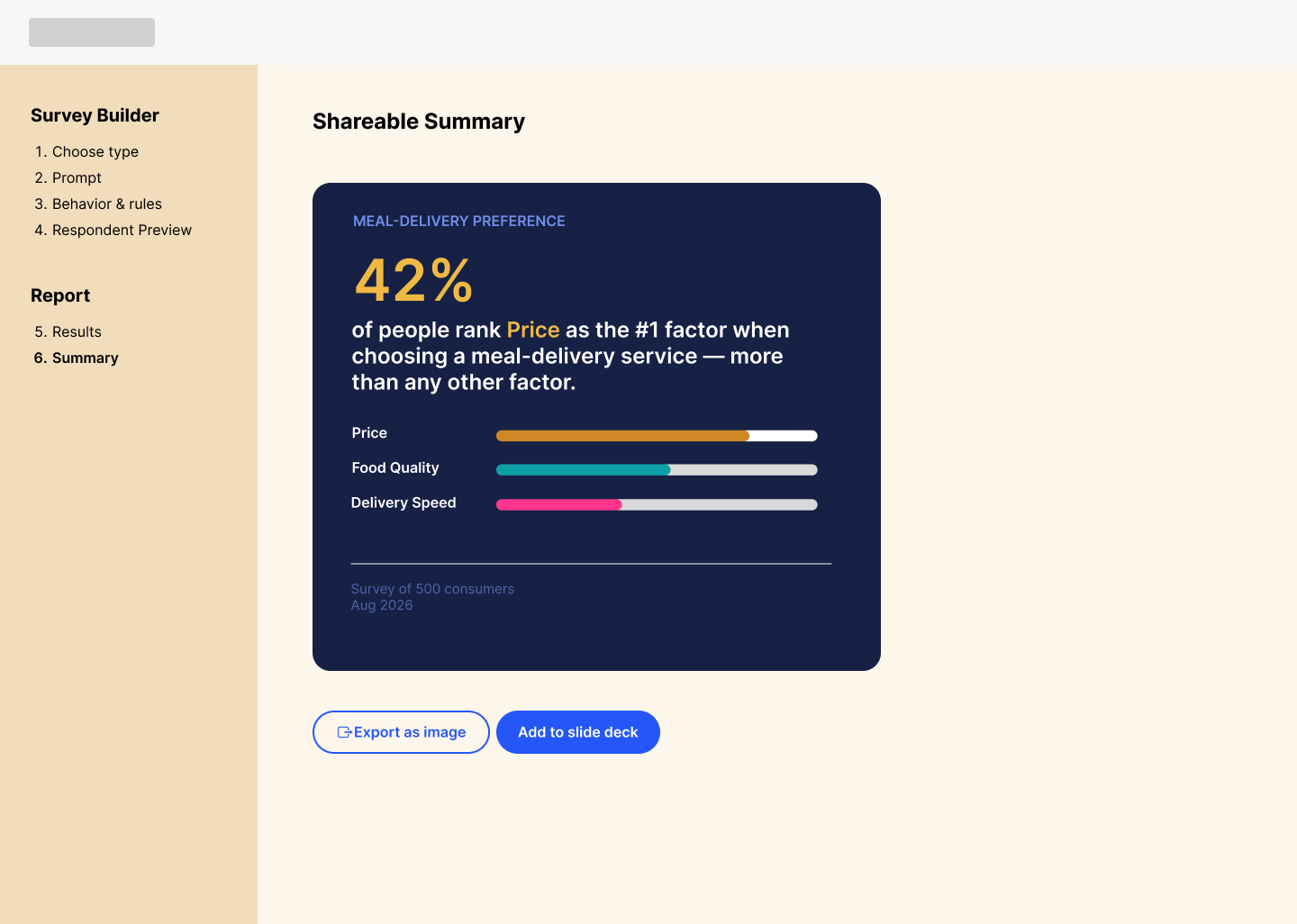
To give users more flexibility in sharing results, I added visual summary images highlighting the top-ranked item and top three list entries
05.Conclusion and Reflection
To summarize, the core challenges of this project centered on two critical questions::
How might we help marketers and non-researchers build valid, error-free surveys without formal expertise?
How might we transform complex survey results into a decision-ready reporting experience that dictates clear business strategy and next steps?
To tackle these, the final design introduced two core solutions:
Framework-Driven Setup: An inline research assistant combining real-time validation, smart defaults, and live respondent previews to naturally steer users toward sound methodology without restricting creative flexibility.
Insight-First Reporting: A decision-ready dashboard that surfaces top-ranked outcomes upfront, translates data into immediate strategic implications, and offers one-click exports directly into presentation decks.
Looking Ahead: Scaling Beyond
While this project focused on a single ranking question flow, scaling Prism for multi-question studies requires shifting away from traditional method pickers entirely. Instead of forcing marketers to choose a research format, the platform should begin by asking what they want to learn—letting the product automatically recommend the right methodology based on their objectives and constraints.
A future system-level evolution would include:
Goal-First Architecture: Replacing manual method selection with an automated setup engine backed by a study-level layer to prevent cognitive overload.
Objective-Driven Analytics: Shifting from isolated, question-by-question metrics to cross-question synthesis, global filtering, and a standardized relative priority scale for disparate data types.
If given more time, my next phase would focus on user testing and platform expansion:
Survey Setup Usability: Task non-researchers with constructing complex ranking questions to measure task completion rate and evaluate whether smart guardrails effectively eliminate setup errors.
Comprehension & Decision Speed: Test the reporting interface with target stakeholders to evaluate how intuitively they process automated insights, contextual implications, and prescribed next steps.
Audience Targeting Expansion: Scale the survey builder to support granular demographic filtering and customer lifecycle segmentation (e.g., net-new vs. existing power users) to deliver higher-precision insights.
Thank you so much for reading, feel free to leave any feedback below.
View More Projects

BudgetBliss - Redefining Affordable Travel
Provides travelers access to budget-friendly deals and enables them to confidently make informed decisions, track their expenses, curate their itineraries, and enjoy memorable vacations within their financial constraints.

House2Home E-commerce Website for New Homeowners
House2Home is a home decor e-commerce website, helping new apartment or home owners to confidently curate a diverse array of home décor items and accessories to decorate their spaces according to their unique style and budget.